10 Proven Marketing Workflow Examples for Business Efficiency


Marketing teams move fast. You juggle multiple marketing channels, shift priorities on the fly, and rely on processes to keep everything moving. When those processes slip, you feel it right away. Deadlines are missed, campaigns stall, and it gets harder to see what’s working. That’s where structured marketing workflows come in. They take scattered effort and turn it into a repeatable system you can count on, one that supports your creativity instead of crowding it.
In this guide, we’ll walk through ten practical workflows that growing businesses lean on every day, from email nurture campaigns to event planning and retention. The goal is simple. Give you a more straightforward way to run your marketing so you spend less time putting out fires and more time doing work that actually moves the needle.


The Benefits of Well-Designed Marketing Workflows
When we talk about workflows, we’re really talking about making your day-to-day marketing work feel smoother and more predictable. Good workflows do more than organize tasks. They help you stay consistent, reduce friction, and keep everyone on the same page.
Here’s where they really shine:
- Consistency: Your customers hear from you at the correct times, not just when you feel like it.
- Team alignment: Everyone knows their role, what needs to happen next, and when.
- Fewer repetitive tasks: Automation steps in for the simple, routine work you shouldn’t have to do manually.
- Visibility: You can see each stage of a campaign and quickly spot bottlenecks or opportunities.
- Stronger customer journeys: People move through your funnel with fewer interruptions or confusing gaps.
Once you start using workflows across multiple channels, you’ll probably notice something else. Mistakes drop. Missed follow-ups become rare. Leads stop slipping through the cracks. You’re not asking, “Who was supposed to handle that?” nearly as often.
Recent research shows many teams lean on structured systems to stay efficient. For example, a report from Thunderbit found that 58–63% of marketers use automation for email campaigns, making it the most commonly automated channel. Thunderbit also found that 75% of companies adopting marketing automation report a measurable return on investment within the first year.
1. Email Marketing Workflow
If you’ve worked in marketing for any length of time, you’ve probably seen how much of a difference good segmentation makes. Recent industry data shows that average email open rates across industries hover around 42.35%, with click-through rates near 2.0%. That suggests that well-structured, targeted email workflows significantly improve engagement. Even small shifts in how you group your audience can help your messages feel more natural because people receive content that actually fits what they care about.
If you use email marketing regularly, you already know how helpful this is. A workflow with segmentation keeps your email campaigns performing well and personalized. It also helps your emails land when people are most receptive, which is why the channel continues to deliver such strong results.
Here’s the thing. Email workflows work like guided conversations instead of single touchpoints. According to Pulse data, teams that shift from isolated emails to behavior-based sequences experience smoother engagement because each email builds on the last.
Common workflows include:
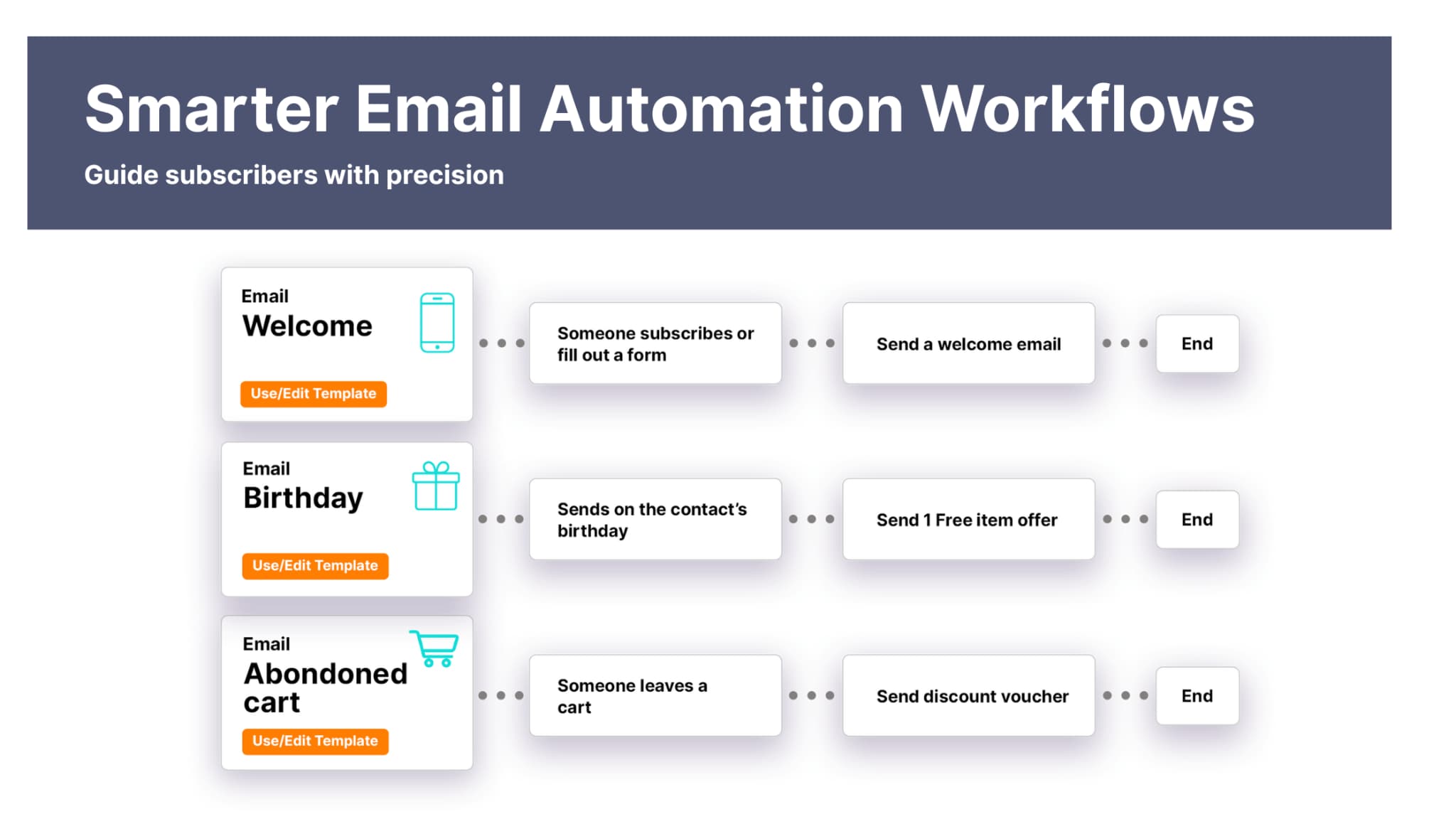
- Welcome series: Helps new subscribers get oriented with resources and expectations.
- Follow-up sequence: Continues the conversation after someone downloads something or registers for an event.
- Re-engagement: Brings quieter subscribers back into the loop when they haven’t interacted in a while.
A small business might welcome new subscribers with a short series that walks them through its approach, shares a brief example from real work, and offers a chance to join a live session. Each step helps people warm up at a pace that feels natural.
The more someone interacts, the more the workflow adapts. If they click to download a helpful resource, they may get more advanced content. If they don't engage, the cadence slows. This flexibility keeps communication relevant without overwhelming anyone.
And once these workflows are running, they don’t demand much from your team. They quietly handle the early relationship building so you can focus on new ideas, deeper strategy, or whatever’s next on your plate.
2. Lead Nurturing Workflow
Lead nurturing is really the space between someone showing interest and feeling ready to take the next step. Without a simple system guiding that experience, leads can drift off. Some get too many touchpoints way too fast, while others barely hear from you at all. Here’s where this matters: inconsistent communication makes it harder for people to trust what you’re offering and feel confident moving forward.
A nurturing workflow fixes that by sending messages that match what someone cares about, what they’ve done, and where they are in the journey. Segmentation plays a significant role here because sending everyone the same thing rarely works. When you tailor communication, people feel like you're paying attention to their needs.
Core components usually include:
- Lead segmentation to group people by behavior, interest, or engagement patterns.
- Personalization that reflects actions they’ve taken, like viewing content or downloading a guide.
- Timed follow-ups that keep the relationship moving without overwhelming anyone.
- Lead scoring to help you focus on the people who are showing the strongest signs of interest.
Pulse data shows that leads respond more consistently when nurture campaigns deliver value based on their interests instead of jumping straight into big asks. You’ve probably seen this yourself. You might download a guide, then receive a simple thank-you note with the PDF, followed by a short story about how others used the same tactics, then a quick highlight of real results, and finally an invitation to dive deeper if you want.
This kind of steady pacing gives people room to explore, think, and get comfortable. It turns nurturing into a helpful conversation rather than a push to make a sale too quickly.
3. Social Media Posting Workflow
Managing social media across several platforms can feel like a lot, especially when each one has its own set of processes. You likely already know how different each platform is. LinkedIn rewards thoughtful commentary while Instagram leans on visuals, and TikTok pushes quick, fast-paced storytelling. When you try to treat them all the same, the results will most likely not meet your expectations. This is why having a simple workflow makes everything feel more intentional and a lot less stressful.
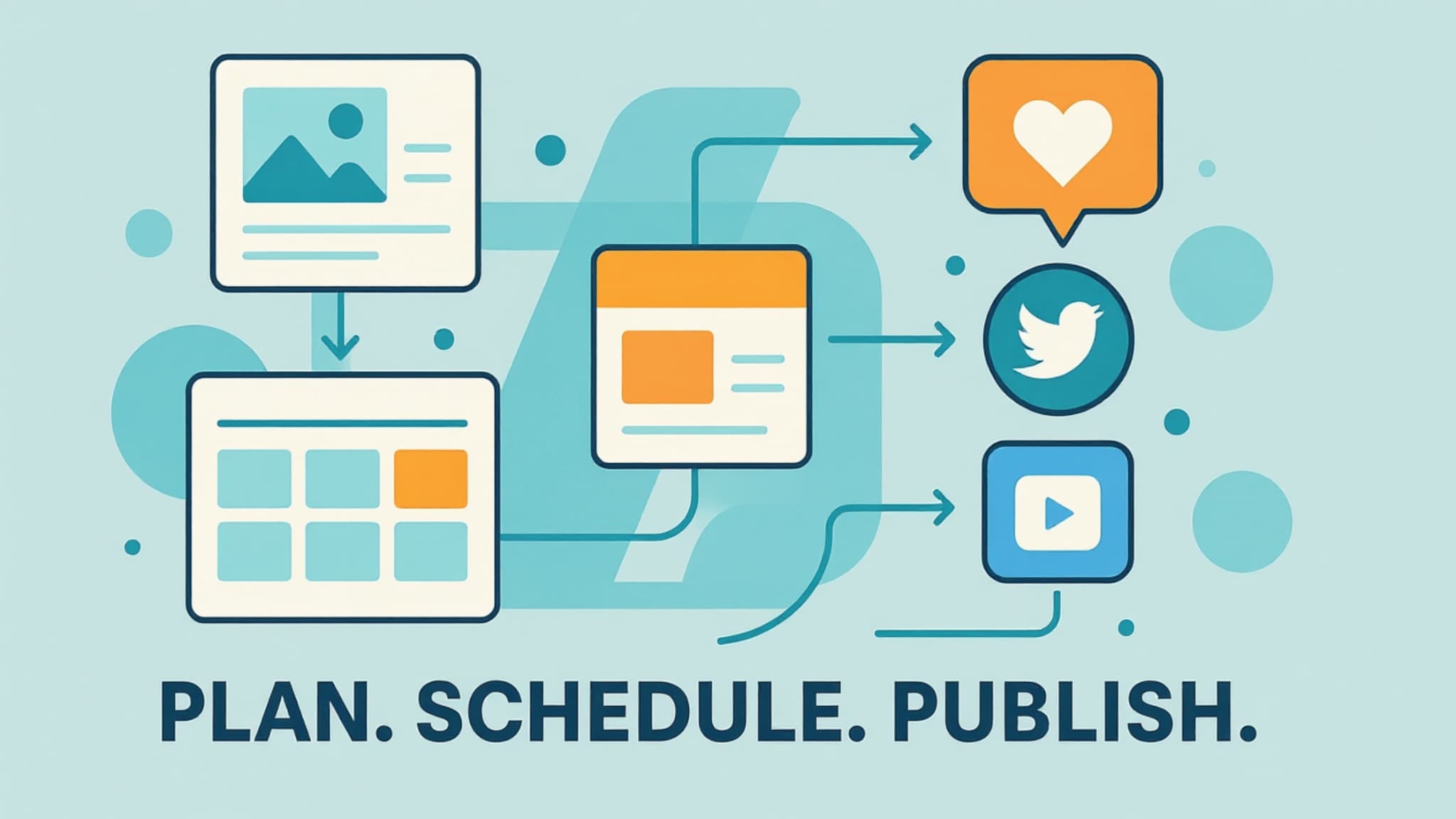
So let’s break this down. A posting workflow helps you map how ideas move from the planning stage to the moment they go live. Most teams follow a repeatable cycle that looks something like this:
- Create assets like captions, videos, or graphics that fit the theme and can be adaptable to multiple social media channels.
- Schedule posts in advance so you don't publish in a rush.
- Monitor engagement patterns to see what resonates and what falls flat.
When this process becomes part of your weekly routine, social media feels less like a scramble and more like a steady flow. In fact, many teams notice that once they schedule content in advance, they finally have time to engage with their followers instead of constantly trying to keep up.
Here’s where this really matters. Clear workflows make it easier to divide responsibilities without stepping on each other’s toes. The copywriter focuses on writing. The designer handles visuals. The reviewer checks the details. The scheduler lines everything up. Everyone knows their role, which means fewer last-minute surprises and much smoother collaboration.
4. Content Marketing Workflow
As your team grows, content can quickly become one of the first areas where things slow down. You’ve got writers, designers, editors, and maybe a strategist or two all touching the same piece of work. Without a simple process to follow, projects drag, people get stuck waiting on each other, and even small blog posts take longer than they should. A steady workflow keeps things moving and helps everyone stay in sync.
Here’s the thing. Content moves through several stages, and each one affects the next. Research shapes the draft. The draft influences design. Design changes what needs review. So when even one step stalls, the whole flow slows down. Teams that use transparent, repeatable workflows significantly reduce those delays because everyone knows exactly when it’s their turn.
To make this work, a content workflow usually breaks the process into simple, predictable steps:
- Topic research: Dig into the questions your audience is asking and the trends worth covering.
- Drafting: Write with a clear tone and structure that supports your broader strategy.
- Review: Check for accuracy, clarity, and overall alignment with your brand.
- Publishing: Format the piece, upload it, and make sure it’s optimized for search.
- Promotion: Share it through email, social channels, or partnerships.
- Performance tracking: Look at engagement, traffic, and which topics are landing well.
Most teams naturally divide these responsibilities. One person handles research, another writes, and someone else edits. When the workflow is straightforward, there’s no confusion about who jumps in next, which cuts back on unnecessary back‑and‑forth and keeps work moving.
Editorial calendars support the entire process. They help you see what’s coming up, plan ahead instead of scrambling, and avoid the last‑minute crunch that leads to rushed or inconsistent content.
5. SEO Workflow
Search engines work best when your content is easy to understand, and your site runs smoothly. You’ve probably felt this when a page loads slowly or feels disorganized, and you bounce right away. Google looks at those same signals. Resources like Google Search Central show how a clean, organized workflow helps your site get indexed faster, catch issues early, and maintain steady organic performance.
You get even more value when you can actually see what’s happening. Consistent insight from ongoing Google Search Console data makes it easier to adjust your strategy without guessing. When you know which pages are getting higher click-through rates, which ones are declining in clicks, and which keywords pull in engaged visitors, you can make changes that matter.
As search evolves, it’s also worth considering how your content performs in generative environments like AI Overviews and other emerging search formats. This shift, often called Generative Engine Optimization (GEO), encourages teams to focus on clear answers, structured information, and content that helps AI models surface the right insights. Adding concise explanations, scannable sections, and question-based headers can improve how your pages appear in these new results. GEO does not replace traditional SEO; it works alongside it to help your content stay visible as search behavior evolves.
Here’s where an SEO workflow helps. It turns a long, sometimes overwhelming process into a steady routine you can follow week after week. Instead of treating SEO like a one-time project, think of it as something that evolves alongside your business and now also alongside modern search experiences shaped by Generative Engine Optimization, or GEO.
Core steps usually include:
- Keyword research: Finding out what your audience is actually searching for.
- On‑page optimization: Using clear headings, helpful descriptions, and structured content.
- Technical checks: Improving load times, mobile friendliness, and crawlability.
- Content updates: Giving older pages fresh information and better examples.
- Link building: Earning credible mentions from trustworthy sites.
- Monitoring analytics: Watching organic traffic and engagement trends.
When you follow this workflow consistently, your visibility grows steadily and predictably. You’re not relying on luck or sporadic effort. You’re building momentum one update at a time.

6. Customer Retention Workflow
Keeping customers around is almost always more cost‑effective than winning new ones, and that’s why a solid retention workflow matters. When you stay in touch with people after they buy, you’re not just checking a box. You’re showing them that you’re paying attention and that their experience still matters. Consistent, thoughtful communication goes a long way in strengthening those relationships.
Here’s how we usually think about the pieces that make retention feel natural and not generic:
- Post‑purchase follow‑up: A quick thank‑you or helpful onboarding resource that gives customers a strong start.
- Loyalty campaigns: Small rewards, early access, or exclusive content that make people feel appreciated.
- Re‑engagement: A gentle touchpoint for customers who have gone quiet, giving them an easy way back in.
- Feedback requests: Simple surveys or review prompts that help you understand what’s working and what needs attention.
- Personalized messaging: Notes or updates tailored to their history or essential moments.
Maintaining a steady, genuine flow after the first purchase often leads to higher repeat engagement. A quick follow-up message after project completion, a brief satisfaction check-in, and a quarterly update with something useful can transform what would have been a one-off interaction into a long-term relationship.
Pro Tip: If you want an easy way to strengthen retention without adding more to your daily workload, grab our free checklist, 5 Easy Automations to Gain & Retain More Customers. It highlights the feedback and referral campaign automations that fit naturally into your retention workflow, making it easier to gather customer input and encourage satisfied clients to share your business with others. You can get it here.
7. Event Marketing Workflow
If you’ve ever run an event, you already know how many small details can pile up fast. When you’re juggling reminders, speakers, materials, and logistics, it’s easy for something to slip. That’s why building a simple, steady workflow can make everything feel smoother for both you and your attendees.
Routine coordination gets lighter when you let thoughtful marketing automation handle reminders and follow‑ups. This matters because events involve so many moving pieces, and even a slight delay can affect turnout or the experience you’re trying to create.
Events come in all shapes, such as webinars, workshops, client sessions, and product launches, but they all rely on the same core flow. When each step connects cleanly to the next, the whole experience feels intentional rather than an unorganized process.
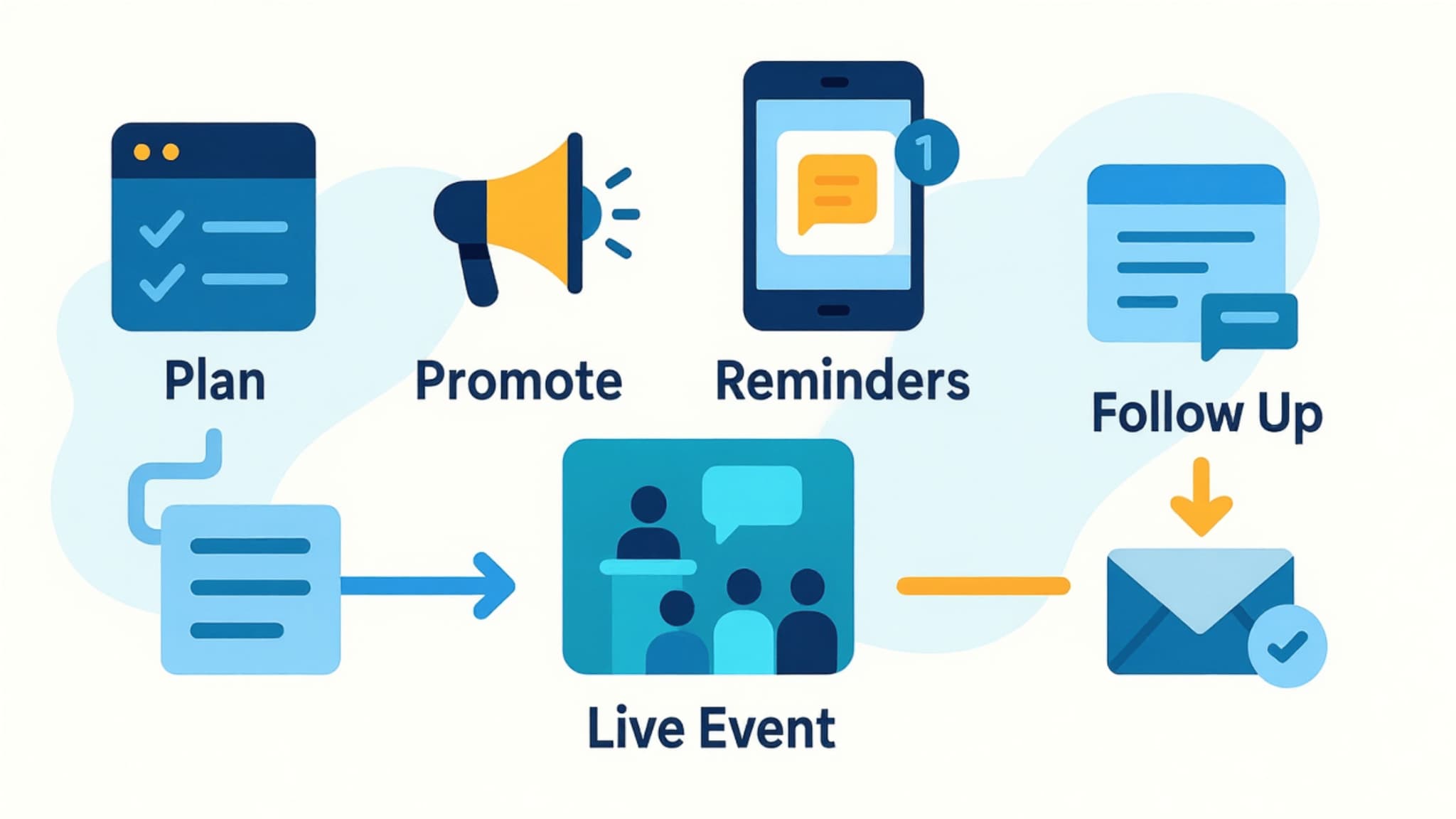
Typical steps include:
- Planning: Setting goals, shaping the agenda, confirming speakers, and mapping out the timeline so everyone knows what’s coming.
- Promotion: Creating landing pages, preparing email invites, and sharing updates on social to spread the word.
- Coordination: Handling logistics, finalizing creative assets, and watching registrations as they roll in.
- Execution: Running the event with clear roles so you’re not troubleshooting in the moment.
- Follow‑up: Send replays, share resources, or offer next steps while the event is still fresh in attendees' minds.
- Analysis: Looking at attendance, engagement, and feedback to understand what worked well.
Teams that use a consistent event workflow tend to see stronger attendance and better post‑event engagement because participants feel guided every step of the way.
When events run with these kinds of systems in place, they stop feeling like isolated moments. They turn into ongoing conversations that build trust and deepen relationships over time.
8. Creative Approval Workflow
Creative assets like graphics, videos, or ad copy move through a lot of hands before they’re ready to go live, and you’ve probably felt how messy that can get without a clear system. When the process isn’t defined, revisions pile up, feedback gets scattered, and projects slow down, frustrating everyone. A simple, reliable workflow makes the whole thing feel much more manageable.
Here’s how we usually break it down so the team stays in sync:
- Submission: Creators share early drafts or concepts so everyone can see what’s taking shape.
- Internal review: Teammates offer feedback that sharpens the idea and improves the final result.
- Manager approval: Decision-makers give the green light once everything aligns with expectations.
- Revisions: Creators update the asset based on the feedback they’ve received.
- Final approval: The piece is cleared for publication once everything comes together.
The teams that follow a consistent review path tend to produce stronger, more cohesive work because everyone knows what happens when.
9. Paid Advertising Workflow
Paid advertising works best when you clearly understand how leads enter and progress through your sales pipelines](https://thepulsespot.com/sales-pipelines). The focus here should be on creating ads that attract the right people and guide them toward the first meaningful step in your pipeline. When your targeting, messaging, and offers match what prospects are looking for at the top of the funnel, you generate higher‑quality leads from the start.
In a paid advertising workflow, the goal is to move prospects from initial awareness into an intentional next step, such as booking a call or signing up for a webinar. Each ad set should be designed to meet people where they are, so your campaigns naturally funnel them into the sales process. This keeps your pipeline active with leads who already understand the value of what you offer and are more prepared for deeper conversations.
Running paid ads involves many moving parts, and it can feel chaotic without a predictable system to guide it.
Here’s how most teams break the process down:
- Goal setting: Get clear on the outcome you’re aiming for, whether that’s clicks, conversions, or awareness.
- Audience research: Choose the right demographics, interests, or lookalike audiences.
- Creative development: Build the copy, visuals, and variations you want to test.
- Launch and monitoring: Watch early indicators to gauge how the campaign gets off to a start.
- A/B testing: Compare versions to figure out what actually resonates.
- Optimization: Adjust budgets, bids, or audiences based on the data.
- Reporting: Summarize what you learned so the next campaign improves.
In fact, once this workflow is in place, the whole process becomes far less overwhelming. This process removes a lot of the guesswork and helps everyone stay focused on what’s working.
10. Cross-Channel Campaign Workflow
When several marketing channels are active simultaneously, keeping the message consistent can be tricky. Each channel has its own tone and pace, and without a clear workflow guiding things, it’s easy for campaigns to feel scattered. This matters because people don’t experience your content in isolation; they see the bigger story across email, social, ads, content, and events.
A good cross‑channel workflow helps keep that story aligned so each channel supports the same narrative in its own way. Most teams build it around a few core elements:
- A unified theme: The main idea that everything connects back to.
- Channel‑specific assets: Slightly different versions for email, social, ads, or landing pages.
- A publishing calendar: A shared timeline so everything rolls out smoothly.
- Automated follow‑ups: Things like retargeting ads or post‑event emails that keep momentum going.
- Performance reviews: A routine check‑in to understand what actually resonated.
You’ve probably seen this in action during larger campaigns. A team promotes a new resource by sharing teaser videos on social media, publishing a blog post that dives deeper into the topic, running ads that drive traffic to a focused download page, and following up with a short email sequence that guides people from curiosity to action.
Even though each channel has its own format, the workflow ties them together. Everything feels like part of the same story instead of a mix of unrelated messages.