6 Examples of Marketing Funnel Automation That Actually Nurture Leads


Marketing funnel automation works best when it feels like a natural extension of how you already communicate with your leads. You are not trying to replace real conversations. You are simply giving yourself a way to stay present even when you are busy. When your workflows are set up well, the right message lands at the right time, and leads keep moving without feeling overwhelmed or forgotten.
In this full guide, we will walk through the core pieces of an effective funnel, how automation supports each stage, and six practical examples you can adapt immediately. The goal is to give you a clear, simple way to understand automation so it works with you, not something you wrestle with. Let’s break everything down so you can build a system that actually helps you nurture leads consistently.


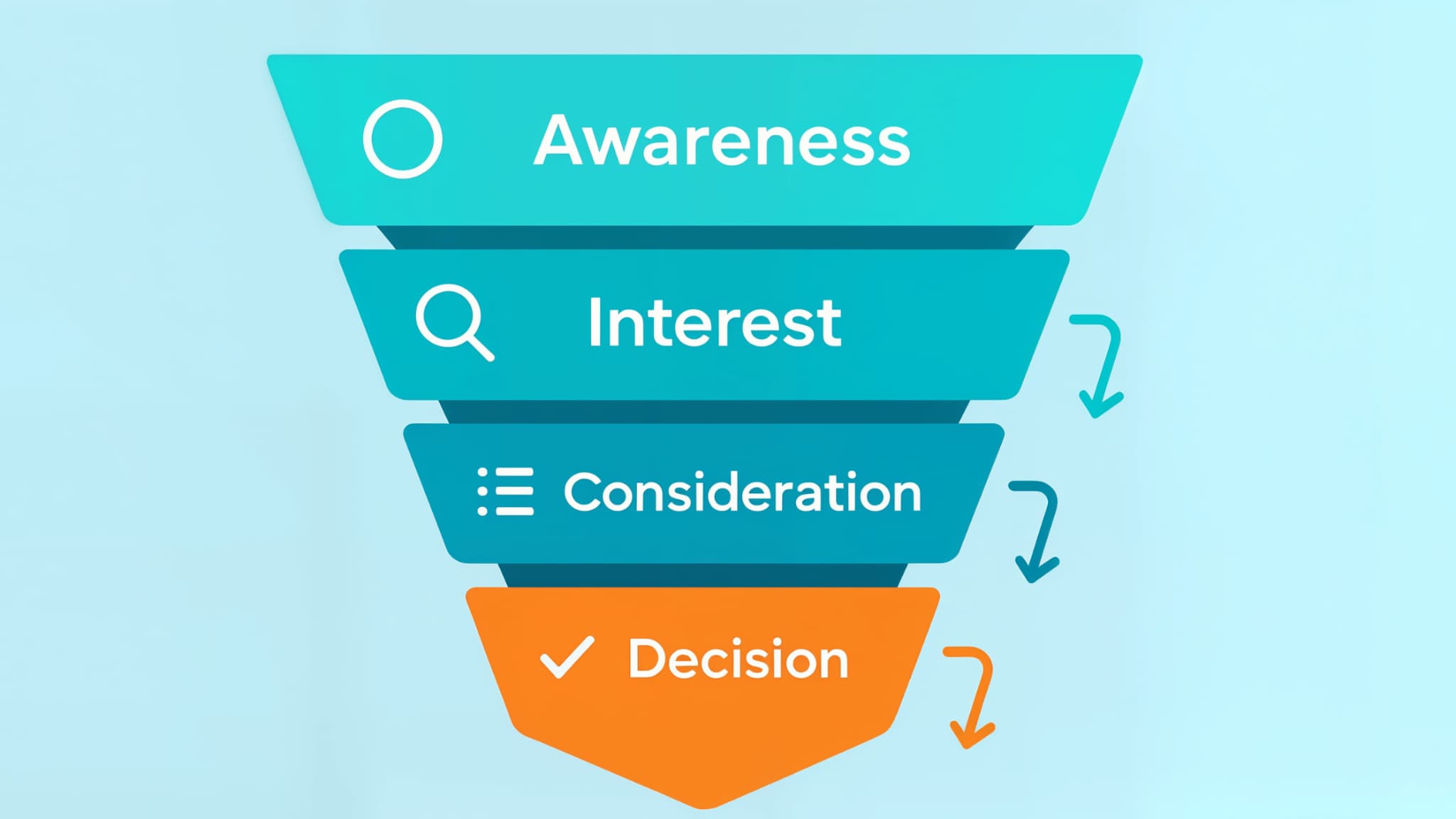
The Four Stages of the Funnel
What are the core stages? Awareness, Interest, Consideration, and Decision. These stages help you understand what someone needs at each point in their journey.
Quick overview:
- Awareness: Someone discovers your brand for the first time.
- Interest: They start exploring what you offer.
- Consideration: They compare solutions and seek evidence.
- Decision: They choose whether to move forward.
Awareness
This is the moment someone first notices you. Maybe they saw an ad, clicked a post, or heard about you from someone they trust. They are not ready to act yet, but you have their attention.
Interest
This is where curiosity grows. People may browse your website, download something helpful, or sign up for your newsletter. They want to understand whether what you offer fits their situation.
Consideration
Here, people start comparing. They look at your approach, benefits, pricing, and credibility. They want to feel confident they are making the right choice.
Decision
This is the final stretch. A lead reviews the last details and decides whether to schedule a call, request a quote, or buy.
Automation helps support people through each stage. With tools like marketing automation, you can send timely, relevant messages so leads never feel lost.
How Marketing Funnel Automation Works
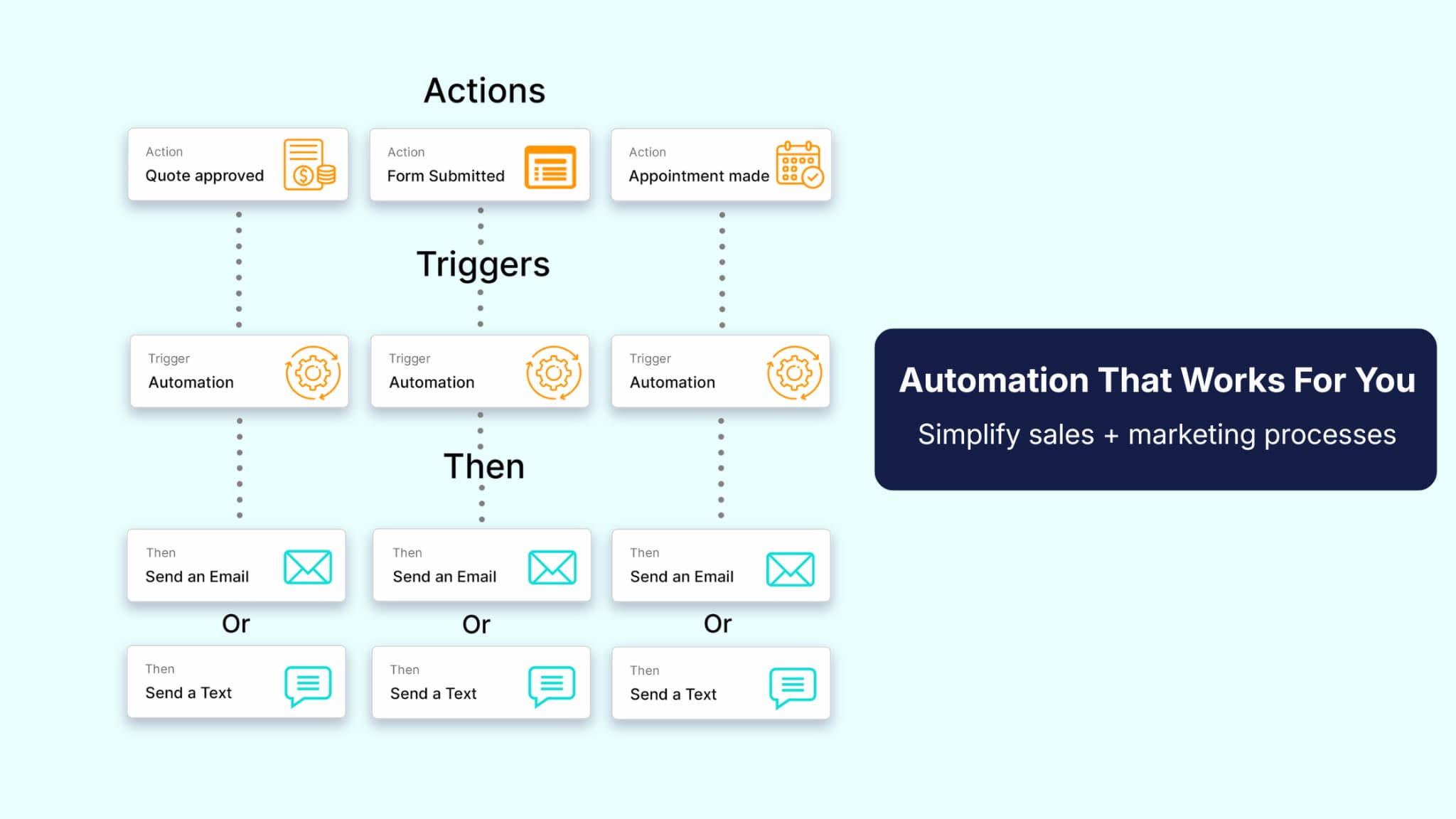
At its core, automation is your system responding to lead behavior. Instead of you having to remember every follow-up, your workflows handle it quietly in the background.
In practice, this means:
- Your CRM reacts to what someone does
- Each action moves them to the next step
- No one falls through the cracks
You have likely seen this in action. You fill out a form and receive an immediate reply, or view a page on a site and start getting relevant follow-ups. These small automated touches make the journey smoother for both you and your leads.
Teams often automate their everyday touchpoints using tools like sales pipelines and email marketing. Common automations include:
- Follow-ups after form submissions
- Delivery of resources or training
- Segmentation based on behavior
- Personalized offers when someone shows interest
- Reminders for demos or consultations
- Upsell or cross-sell suggestions after purchase.
When these workflows run together, they help leads move consistently without requiring constant manual effort.
Benefits of Automating Your Lead Nurturing
Automation makes it easier to stay consistent, relevant, and timely. It removes the guesswork and gives you space to focus on actual conversations rather than worrying about manually following up.
Some of the biggest benefits include:
- More consistent communication
- Higher quality leads
- Better long-term revenue
- Stronger visibility into your pipeline
Automation keeps your database clean and your communication steady. Over time, these improvements stack and create a predictable nurturing system.
How to Build Your First Automated Funnel
Most people overcomplicate their first funnel. You do not need something huge. Start with a welcome sequence, give new leads something helpful right away, and build from there. As your system grows, you can layer in behavior-based tags, retargeting triggers, and upsell prompts. The key is to understand that your first workflow is not meant to be perfect. It is simply the foundation you will adjust and improve as you watch how real leads respond.
Here is a simple way to think about it. You are building a path, not a maze. Each automation should help leads take one step forward, not overwhelm them with options. As you gain more visibility into what people do, you can start shaping follow-ups that feel more personal, add logic that reacts to their behavior, and connect additional workflows to create smoother transitions. Eventually, all your automations work together like a simple support system, keeping leads moving forward.
Steps at a glance:
- Map the buyer journey
- Identify weak points where follow-up drops
- Build one workflow to support the first stage
- Run test contacts through it
- Add more workflows once the first one feels solid
Six Examples of Funnel Automation You Can Use Today
Below are six examples you can implement right away. Each one helps leads move naturally through the funnel while keeping your workload manageable.
Example 1: Abandoned Cart Recovery
Abandoned cart workflows help win back warm leads who came close to making a purchase. With cart abandonment often exceeding 65 percent, this automation gives you a second chance to reconnect with people who already showed intent. It also helps you recover revenue that might otherwise slip through the cracks.
Many shoppers simply pause to compare options or wait for the right moment, so a thoughtful reminder can bring them back without feeling intrusive.
When to Use It
Use this when people add items to their cart but do not complete the checkout. Distractions happen, and many people simply need a reminder. In most cases, the gap between adding to cart and purchasing is short, so timing matters. If you reach out within the first few hours, you catch people while they still remember what they were looking at.
How It Works
A solid recovery workflow includes:
- A quick reminder that their cart is still open with a direct link to finalize their purchase
- A follow-up addressing hesitation
- A final nudge for people who repeatedly viewed their cart
Personalized emails perform better than generic nudges. Data from the Baymard Institute shows that nearly 58 percent of shoppers abandon their carts because they are still thinking or comparing. This means your follow-up does not need to be pushy. It only needs to answer the quiet questions people already have, like shipping costs, return policies, or whether the product fits their needs.
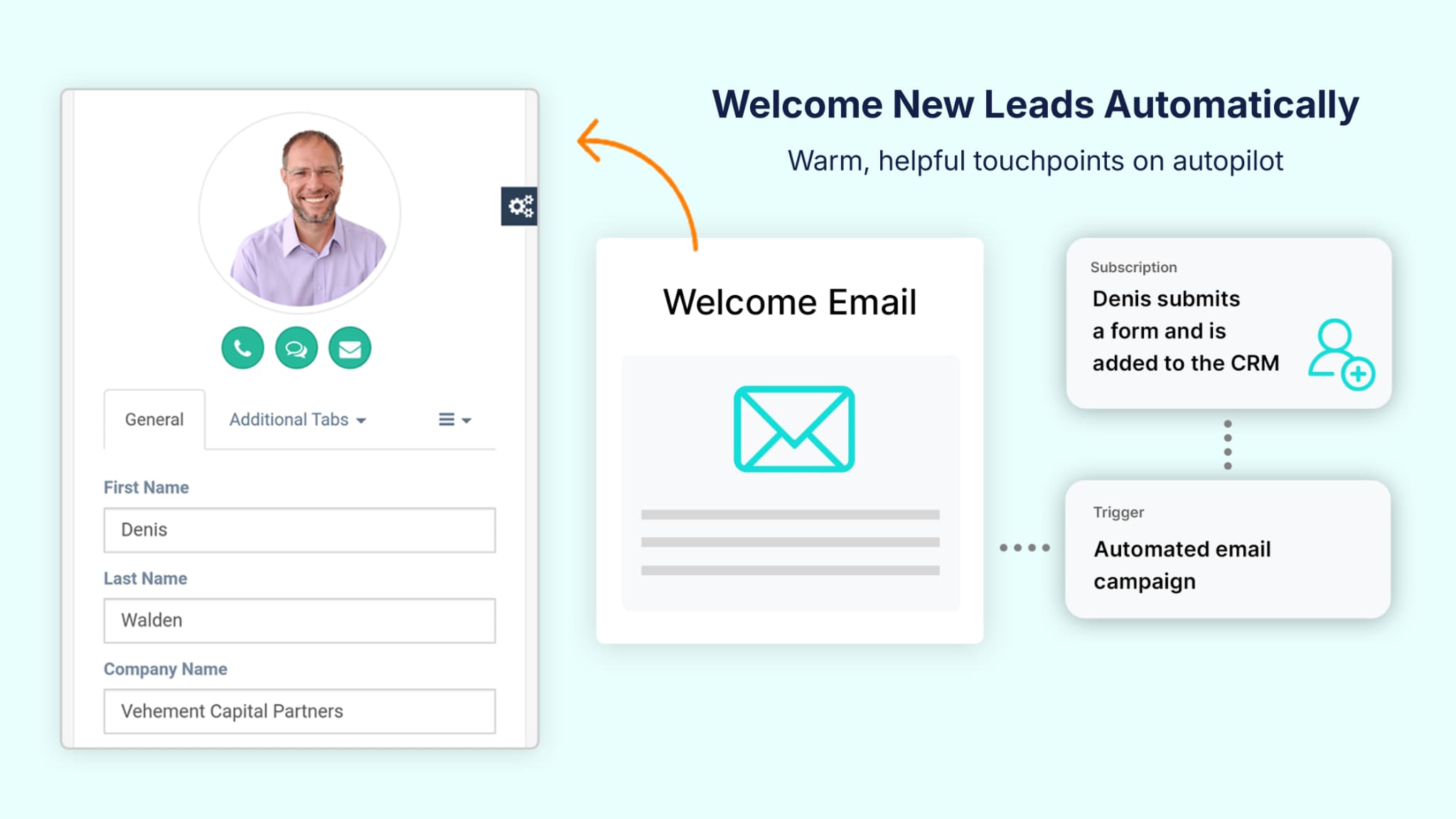
Example 2: Automated Welcome and Nurture Series
A welcome sequence helps new leads settle in and understand what they can expect from you. People pay the most attention right after they subscribe, so this is your best window to make a strong impression. Think of it as the first chapter of the relationship. If you set clear expectations and offer something genuinely useful, you give people a reason to stay engaged rather than drift off.
When to Use It
Use this for any lead entering your list. It is especially helpful for audiences that need education or comparison, because a well-written welcome sequence guides them through the early questions they already have. If someone is unsure where to start, this automation becomes their roadmap. It also prevents the common drop-off that happens when new subscribers get silent after opting in.
How It Works
A typical sequence includes:
- A warm introduction.
- A helpful resource.
- Education or answers to common questions.
- A story or short example.
- A soft call to explore next steps.
To make this even more effective, you can pace your emails so they build on each other rather than overwhelm people on day one. This is also a good place to segment based on early clicks or interests using tools inside your email marketing system.
Research from ANA shows that welcome emails consistently outperform other email types in engagement, which means each message in this sequence has a strong chance of being opened and read. When you use this moment well, you create early momentum that carries leads into the rest of your funnel.
Example 3: Post-Purchase Upsell and Retention Flows
A strong post-purchase experience keeps momentum going, especially because the days right after someone buys are when they are most open to guidance. Many businesses pour energy into getting the sale, but forget that a customer’s confidence is built immediately after the transaction. When you support people early, they understand how to get value faster and are more likely to stay engaged.
When to Use It
Use this when onboarding, continued engagement, or follow-up is important. This approach works well for any product or service that involves steps, milestones, or ongoing use (e.g., SaaS businesses). If customers feel unsure about what to do next, a well-designed post-purchase flow removes stress and helps them ease into the experience.
How It Works
These sequences work well when they:
- Thank the customer.
- Offer onboarding steps.
- Highlight helpful features.
- Recommend relevant add-ons.
To add more depth, you can include reminders about overlooked tools, answers to common early questions, or short tips that help people get quick wins. Research from the Harvard Business Review shows that customers who feel appreciated stay engaged longer and are more open to future offers.
When you guide people through the early days of their purchase, you reduce confusion and make the next step feel natural. You can also use your reporting dashboard to watch where new customers typically slow down, then adjust your sequence to support those moments with more clarity or encouragement.
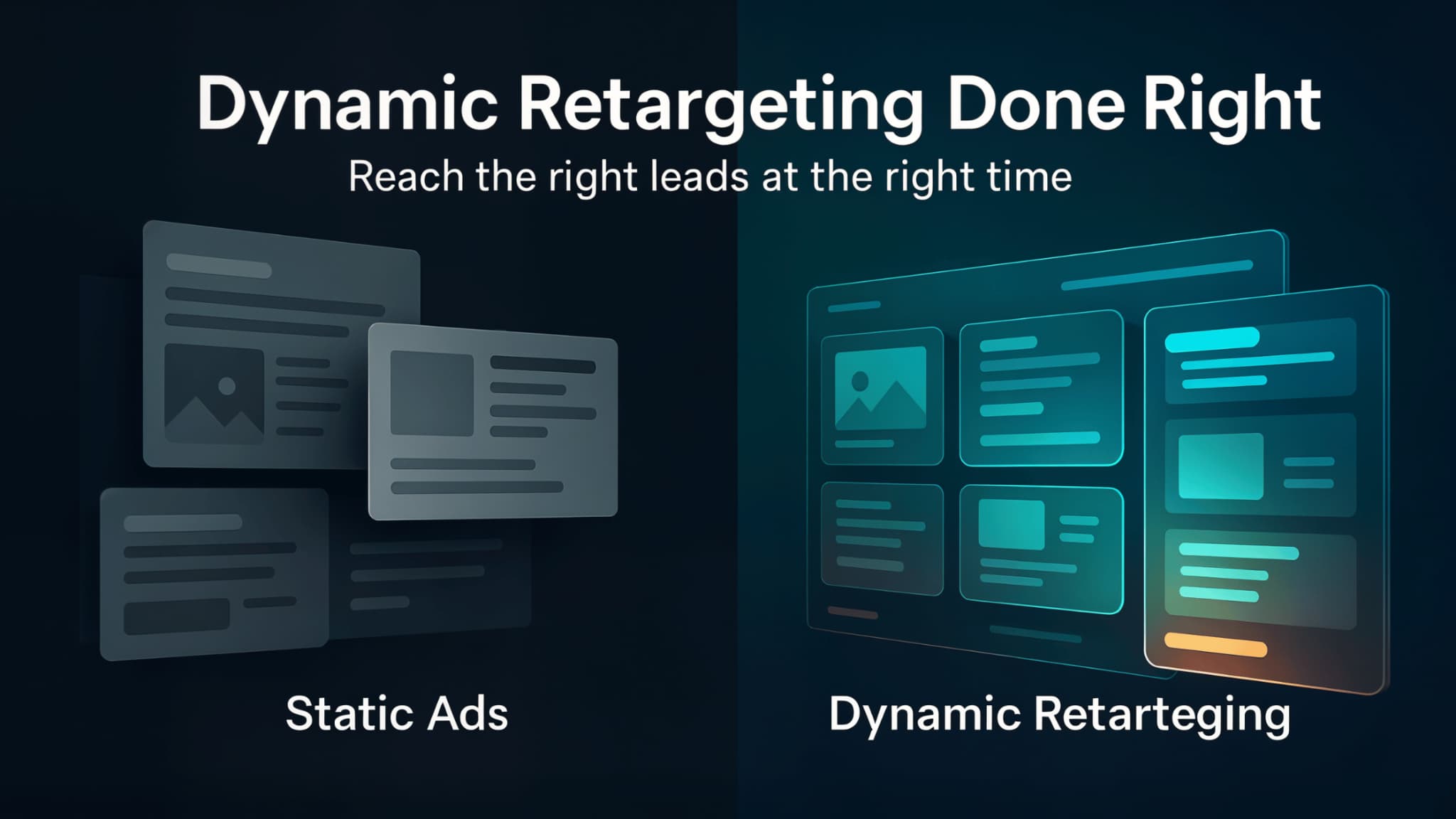
Example 4: Dynamic Retargeting Based on Lead Behavior
Dynamic retargeting works best when your ads follow what people actually do. Static audiences go stale quickly, which means you end up paying to reach leads who are no longer interested. When your lists update in real time, your ads stay relevant, and your budget goes further. You also avoid wasting impressions on people who have already converted or lost interest, which helps your campaigns stay sharp and intentional.
When to Use It
Use dynamic retargeting when your audience takes actions with different levels of intent, such as viewing pricing, clicking an email, or spending time on a product page. These behavior signals help you prioritize people who are ready for a deeper conversation. This approach also works well for long sales cycles where buyers revisit information multiple times before making a decision. By tracking these signals, you can adjust your messaging to align with where they are currently in the buying process.
How It Works
A strong retargeting workflow updates audiences based on actions like:
- Viewing a key page
- Watching a demo
- Moving to a stage in your sales pipeline
- Clicking high-intent content
You can also add rules to remove people from audiences once they convert or stop engaging, which keeps your targeting clean. Some teams even separate early-stage and late-stage behavior so each audience receives slightly different ad variations. When your ads match their behavior, engagement naturally improves. This kind of alignment helps you stretch your ad budget and create smoother re-entry points for leads who are still exploring.
Once people reach the buying stage in your sales pipeline, it is also the perfect time to retarget them with case studies or short video testimonials. These ads help buyers see real-world outcomes quickly, which can ease hesitation and reinforce trust. For example, someone in a late-stage decision phase might respond well to a 30-second story that shows how another customer solved a similar problem. Using these richer assets gives your retargeting more weight and helps leads feel confident they are making the right choice.
Example 5: Direct Mail Triggers Based on Pipeline Stage
Direct mail still stands out because it gives people something tangible to hold. When paired with automation, it becomes a thoughtful touchpoint that complements your digital presence. It also helps you cut through digital noise. People are used to scrolling past emails and ads, but a physical piece of mail naturally grabs attention in a quieter way.
When to Use It
Use direct mail for longer sales cycles or high-ticket offers where trust matters. This channel works especially well when decisions involve multiple conversations or stakeholders, because a physical message reinforces the importance of the relationship. It also plays a valuable role when digital engagement drops. Sometimes people stop clicking simply because they are overwhelmed, and a physical reminder can gently reintroduce you.
How It Works
Direct mail workflows trigger when someone:
- Moves into a qualified stage
- Completes a consultation
- Reviews a proposal
- Reaches a high-intent decision point
To get the most out of this channel, keep messages short and genuine. A brief note, a simple thank-you, or a quick reminder of next steps can create a stronger impression than a long letter. You can also personalize pieces based on pipeline stage or lead behavior, which feels natural.
If you want to take a deeper dive into sending direct mail and promotional products using automation, you can learn more in this article. Adding thoughtful timing and small details makes direct mail a memorable part of your nurturing flow.
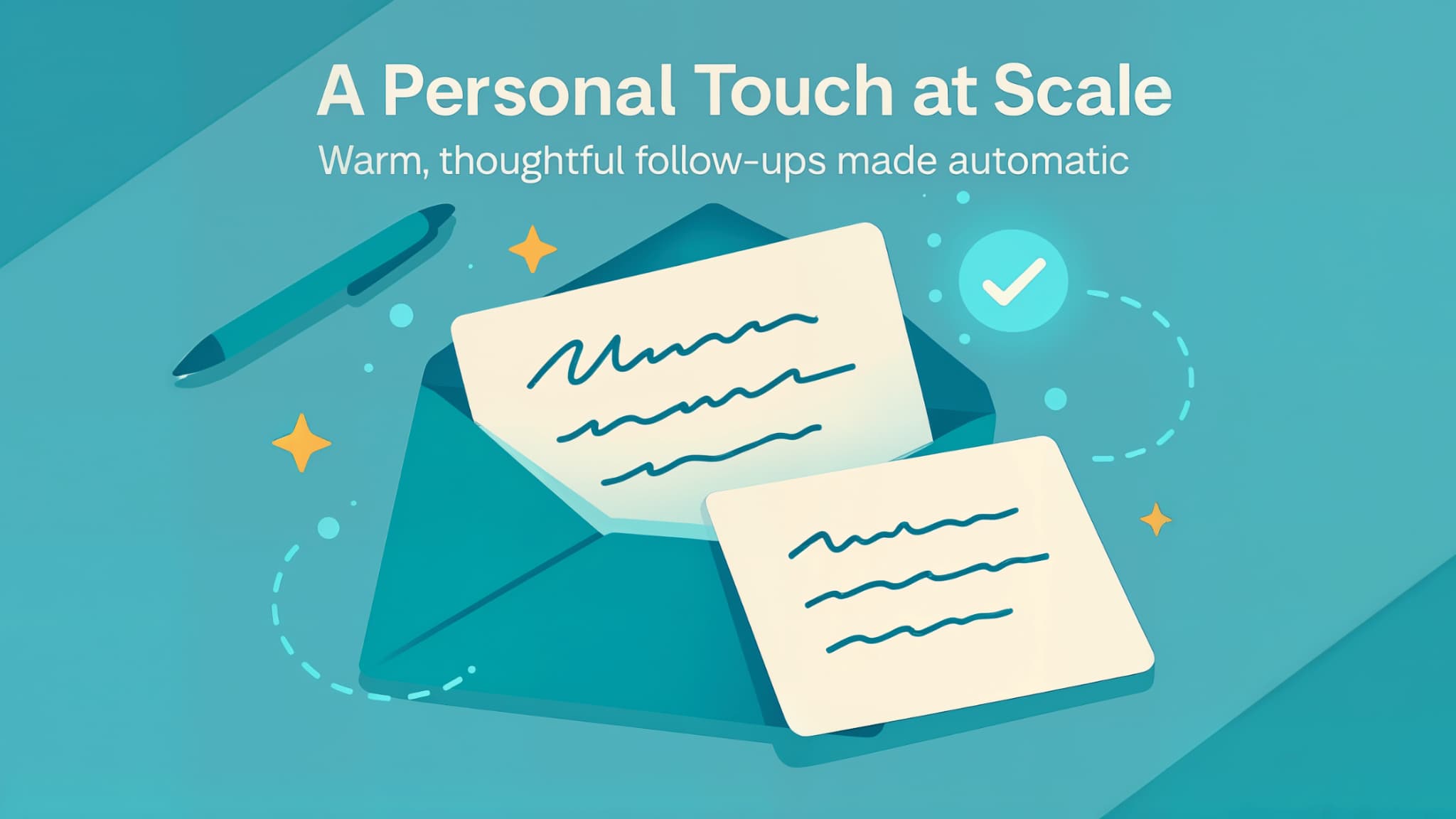
Example 6: Handwritten Card Automations for High-Ticket Leads
Handwritten cards feel sincere, and sincerity goes a long way in high-ticket sales. These cards help your communication feel thoughtful without adding hours of manual work. They also give leads a moment of pause, which can be especially powerful in a decision-heavy process. When everything else they see is digital, a physical note feels personal and intentional.
When to Use It
Send handwritten-style cards when someone reaches a meaningful step like booking a call, completing a discovery session, or entering a decision phase. These touchpoints help reinforce momentum and reassure leads that they are making progress. You can also use this approach when a lead slows down. A simple card can gently re-engage them without pressure.
How It Works
A short note is usually enough. You might:
- Acknowledge the step they completed
- Encourage their progress
- Offer a brief tip
- Clarify what comes next
You can also adjust the tone of the card based on the pipeline stage to make the message feel natural. Some businesses keep a small library of note templates, each tied to a specific milestone. You can also leverage marketing automation and integrate it with software like Handwrytten to automate this entire process.
These small details add warmth to the experience and make your communication feel more thoughtful.