The Ultimate Guide to Using Tags in Your CRM


You may not even notice them at first, but tags sit quietly inside your CRM, shaping how you communicate, stay organized, and truly understand the people in your pipeline. When tags are scattered or inconsistent, your system feels messy, and automation becomes harder to trust. With a clear structure, tags turn into a simple way to bring order to your data and give your team instant context. They become even more helpful when they support strong CRM fundamentals, such as your core CRM and the automations you rely on every day.
This guide explains how tags work, why they matter, and how to build a scalable tagging structure that grows with your business.

What Are CRM Tags?
Tags are lightweight labels you attach to a contact, lead, or customer to categorize them based on actions, attributes, or behaviors.
Why tags matter
- They reduce manual work by summarizing key actions.
- They give your team shared insights and clarity.
- They help you spot patterns, segment audiences, and streamline communication.
- They keep your CRM organized without requiring new custom fields.
Tags do not need to be complex. A small number of thoughtful tags helps your team understand customer behavior more clearly and adapt their strategy with confidence.
Before we move on, now that you have a feel for what tags are and why they matter at a basic level, let's look at how they fit into the bigger picture of a modern CRM.

Why Tags Matter in a Modern CRM
Tags help your CRM stay organized, predictable, and responsive. Without them, automations misfire, segmentation falls apart, and reporting becomes less useful.
Personalization
Modern buyers expect communication that reflects their interests. Tags make personalization easier by grouping people based on:
- Topics they engage with
- Previous interactions
- Content consumed
- Preferences or stated interests
Automation
Tags act as automation signals. Common examples include:
- Apply the tag when a form is submitted.
- Remove the tag when a meeting is booked.
- Trigger a nurture sequence when a tag is added.
Team alignment
Tags improve cross-department visibility by helping everyone quickly understand:
- Where a contact is in their journey
- What actions have they taken
- What follow-up do they need
Reporting
Tags add dimension to your data. They help you identify:
- Which engagement patterns lead to conversions
- Which marketing channels generate the best leads
- Which behaviors correlate with higher revenue
Once you understand why tags matter, the next step is to know which types your team actually needs and how each one fits into your workflow.
Types of CRM Tags You Should Use
Let’s talk about the kinds of tags that actually make your CRM easier to work with. When your tag categories are clear, your team stops guessing, your automations run smoother, and your CRM becomes far easier to navigate. Think of these categories as the buckets that keep everything tidy. As your business grows and you introduce new offers or workflows, this structure provides a shared roadmap rather than leaving things open to interpretation.
Before you decide which tags to use, it helps to understand the job each tag type is meant to do. Let's take a closer look at each one:
Personal Tags
These tags capture stable details about someone, the kind of information that does not change often but matters for long-term context.
- Industry or vertical
- Service interest or category
- Geographic region
- Preferred communication style
You’ve probably seen situations where you want to speak differently to people in different industries or regions. Personal tags make that possible without rebuilding segments from scratch every time. They also pair well with structured data in your CRM fields, giving you a quick snapshot that helps shape everything from outreach tone to long-term reporting.
Engagement Tags
Engagement tags capture what someone has actually done. These moves are often due to behavior changing day by day.
- Clicked a link
- Downloaded a resource
- Attended a webinar
- Booked a call
- Responded to a message
Here’s where things get practical. Engagement tags highlight who is paying attention and who may be drifting. They're also the backbone of most automation triggers. For example, McKinsey reports that companies using behavior-based triggers see engagement 20 percent higher. When engagement tags fire consistently, your nurture sequences feel timely rather than random.
Marketing Tags
Marketing tags help you understand where leads come from and what marketing efforts they interacted with.
- Lead magnet downloaded
- Channel source
- Campaign participation
- Social promotion entry
These tags also make channel comparison much easier. If you're trying to determine whether YouTube or Instagram brings in better leads, filtering by tags gives you a clean view. Statista found that over 70 percent of marketers prioritize multichannel tracking to improve ROI, so these tags play a big role in long-term optimization.
Sales & Pipeline Tags
Sales teams rely on quick insight. These tags help them prioritize work without having to dig through long histories.
- Qualified lead
- High-intent prospect
- Needs follow-up
- Pricing conversation started
Sales tags make it easy to see who needs attention today versus later in the week. They help forecast more accurately and reduce the mental load on sales reps. When you can glance at a profile and instantly gauge readiness, outreach becomes smoother and more strategic.
Operations & Reporting Tags
These tags help keep your internal processes steady and predictable.
- Onboarding started
- Onboarding completed
- Renewal due
- Account review scheduled
Operational tags give your team visibility into where each customer sits in your internal workflow. They also help prevent bottlenecks or stalled handoffs. According to PwC, over 60 percent of customers feel frustrated when handoffs are inconsistent, which makes these tags especially valuable for maintaining a smooth experience. When your internal workflow is reflected clearly in your CRM, your team moves with more confidence and less confusion.
Now that you’ve seen how each tag type plays its own role, it helps to connect the dots. This is where all those categories start working together and shaping how your CRM thinks and responds. As we step into automation, segmentation, and reporting, let’s take a moment to set the stage for how these pieces fit together.
How Tags Improve Automation, Segmentation, and Reporting
Tags strengthen every layer of your CRM, from how you group contacts to how your workflows behave behind the scenes. When applied consistently, tags give your system the context it needs to personalize communication, trigger the right automations, and generate insights you can trust. This makes them one of the simplest ways to increase accuracy and reduce operational friction.
Improved segmentation: key uses
Segmentation becomes more powerful when groups are built around meaningful behaviors. Tags help you:
- Target contacts based on recent interactions.
- Create smaller, more accurate audience groups.
- Exclude people from messages that are not relevant.
- Identify who is moving closer to a buying decision.
Segmentation improves both engagement and user experience. When people receive content aligned with their actions, your message feels more relevant. This aligns with many best practices in behavior-based automation, where personalized content outperforms generic communication.
Smarter automation: practical applications
Automations rely on clear, consistent triggers. Tags provide that structure.
- Apply a tag when a form is submitted.
- Trigger a nurture sequence connected to that tag.
- Remove the tag when the contact completes the sequence.
- Add a new tag if they take the next step.
- Alert sales when a high-intent tag is applied.
These workflows help your CRM behave more like a responsive system and less like a static database. Tag-based automations also reduce manual work and help ensure the right message is sent at the right moment.
Clearer reporting
Tags add depth to your reporting by allowing you to filter performance through specific actions and attributes.
- Identify which behaviors correlate with conversions.
- Compare results across campaigns or channels.
- Understand long-term engagement patterns.
- Track how leads progress through major milestones.
This context helps you refine your strategy over time. For example, if webinar attendees consistently convert at a higher rate, you can prioritize that channel with confidence. Tags give you the clarity needed to make decisions based on patterns instead of assumptions.
Now that you can see how tags influence your workflows, let's talk about how to organize them so they grow with your business.

A Modern Tagging Framework That Actually Works
A modern tagging framework gives your team a consistent way to structure information, keeping it usable as your CRM grows. Without clear rules, tags multiply quickly and lose meaning. A strong framework helps prevent that by creating shared expectations and reducing the cognitive load on your team. When every tag follows the same logic, your CRM becomes easier to search, segment, and automate.
This framework works across industries because it focuses on principles rather than tools. The goal is to help your system behave predictably and support more advanced workflows over time.
Use category prefixes
Prefixes help your tags stay grouped and easy to scan.
- ENG: Attended Webinar
- MKT: Facebook Lead
- SALES: Qualified
Using prefixes also reduces the likelihood of duplicate tag creation. If someone sees "ENG:" already in use, they are less likely to create a different tag for the same purpose. This structure also helps when setting up automations or building filters, since your categories are visually distinct.
Keep tags short and descriptive
- Clear, simple labels prevent confusion.
- Avoid tags tied to specific dates.
- Use consistent wording so tags are predictable.
Short, descriptive tags improve team adoption. They also help avoid scenarios where similar tags like "Webinar Attendee" and "Attended Webinar" coexist. Consistency ensures your automations run reliably and your reporting remains accurate.
Use tags for behaviors, not data storage
Tags should represent yes or no answers, not detailed info. This keeps them clean and prevents overlap with fields that store specific values.
When teams use tags to store data, they often run into reporting issues or inconsistent naming. Tags work best when they indicate whether something happened. Anything that requires nuance or range should be placed in a field instead.
Pair tags with automation rules
Try to automate whenever possible. This minimizes manual errors and ensures your system remains consistent.
You can automate tag application for actions like:
- Form submissions
- Link clicks
- Stage progression
- Content engagement
Automated tagging also helps your CRM stay up to date even when your team is busy. This becomes especially important as you introduce more campaigns or expand your workflows.
Review your tag list quarterly
Quarterly reviews prevent unnecessary tag buildup. During each review:
- Remove outdated tags.
- Merge duplicates.
- Identify tags that are no longer relevant.
- Confirm automations still apply the correct tags.
A quarterly cadence strikes the right balance for most businesses. It keeps your CRM organized without requiring constant maintenance. For teams with high campaign volume, a monthly review may be even more effective.
With a solid framework in place, the next step is applying it through a clear, repeatable process your team can follow.

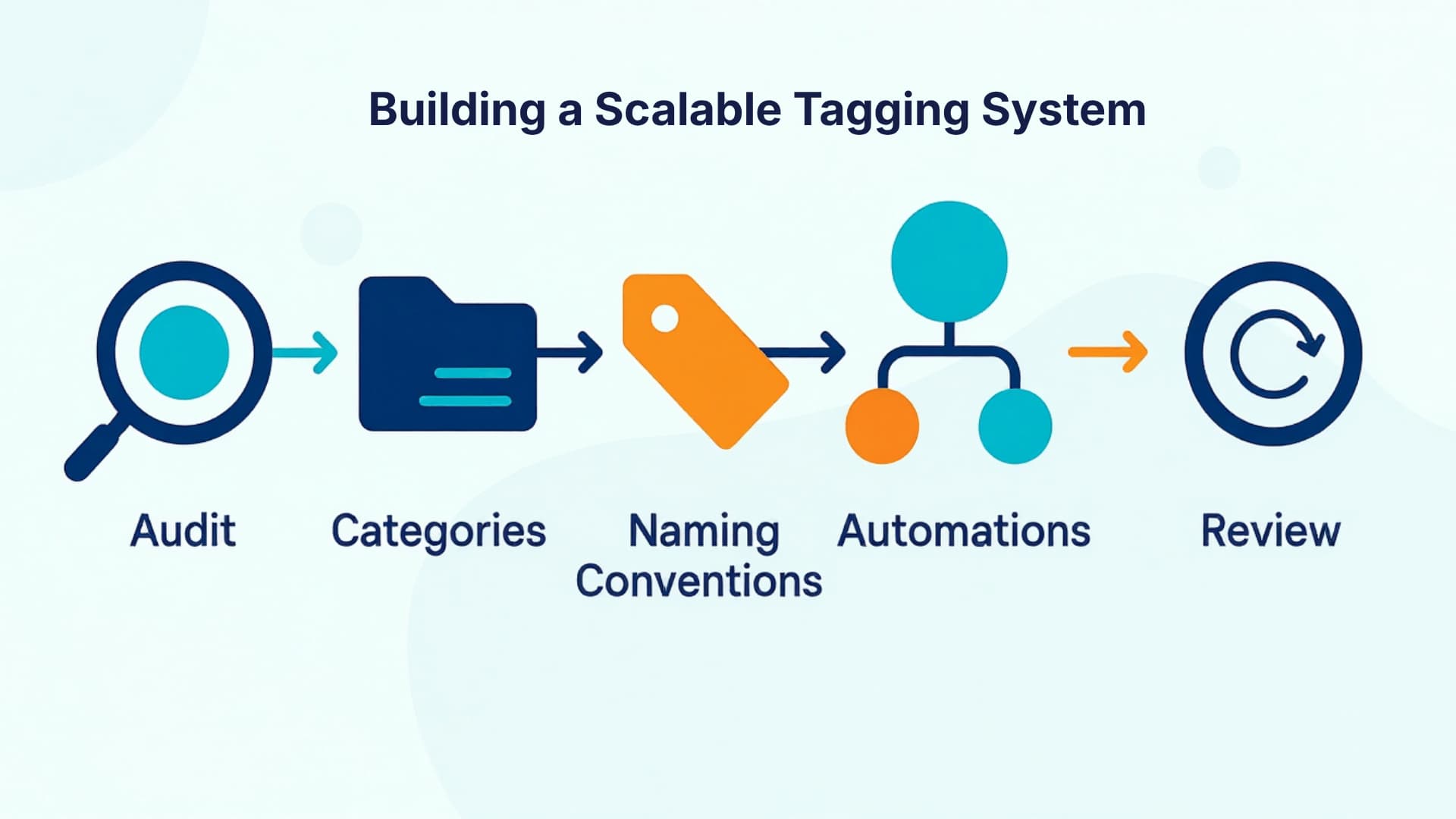
How to Build a Clean and Scalable Tagging System
Once you understand the steps, it helps to see how tagging looks in real scenarios. These examples make the concepts more tangible.
Real-World Examples of Smart Tagging in Action
Smart tagging strengthens your workflows by giving your CRM the context it needs to adapt to real activity. These examples show how tags create structure, reduce manual work, and improve decision-making across different stages of the customer journey. While the scenarios vary, the principles behind them are universal and can be applied to businesses of any size.
Example 1: Webinar Automation
A business uses tags to separate webinar participants into specific engagement groups.
- Registrants
- Attendees
- No-shows
These tags allow for targeted follow-up based on behavior. Attendees may receive a next-step offer, while no-shows may receive a replay sequence. This helps maintain relevance and reduces the need for manual segmentation. When combined with behavior-based automations, these tags ensure people receive communication that matches their actual level of engagement.
Example 2: Lead Scoring With Tags
Tags help track meaningful actions that signal interest or readiness.
- Clicked key links
- Viewed pricing page
- Completed a high-intent form
These actions can feed into a simple scoring system without requiring a complex tool. As tags accumulate, they tell a clearer story about whether someone is warming up or simply browsing. Sales teams can sort leads by tag counts, helping them prioritize outreach without guessing. This approach aligns well with insights found in many sales pipeline optimization methodologies.
Example 3: Client Onboarding
Operational tags assist teams with handoffs, tracking, and progress visibility.
- Onboarding started
- Documents received
- Account setup completed
- Ready for the next milestone
These tags help internal teams coordinate their tasks and avoid missed steps. For example, if onboarding requires several approvals or stages, tags can act as checkpoints to keep everything aligned. They also give teams a quick snapshot of where each client stands, which improves planning and overall customer experience.
Smart tagging works because it helps your CRM respond to real behavior and internal processes. When your tags mirror what is happening in your business, your system becomes far easier to manage.
After seeing what smart tagging looks like, the real challenge becomes maintaining that structure over time. Here are habits that help.
Best Practices to Keep Your Tagging System Clean
Keeping your tagging system clean requires consistent habits and clear guardrails. Even a well-designed structure can become cluttered over time if multiple team members create tags on the fly or if old workflows continue to apply tags long after they are no longer relevant. These best practices help you maintain a CRM that stays easy to navigate and dependable for automation.
Use Tags for Yes or No Indicators
Tags work best when they represent binary answers. This makes them easy to scan and avoids confusion with fields meant to store detailed information.
- Did they attend?
- Did they book?
- Did they download?
Thinking in yes-or-no terms keeps your system lighter and helps ensure automations run more smoothly. It also prevents tags from competing with structured fields that are better suited for numeric or descriptive data.
Clean Up Old Tags
Quarterly cleanup prevents clutter.
- Remove campaign tags.
- Merge duplicates.
- Archive irrelevant tags.
- Verify tags align with current workflows.
Regular cleanup protects your system from becoming weighed down by unused or misleading tags. It also ensures your data stays trustworthy when you filter reports or build segmented campaigns. A simple cleanup checklist can help keep this task efficient.
Track Engagement Separately
Use tags for classification, not analytics. Tags can indicate that an action happened, but metrics like open rates or click rates belong in reporting tools, not the tag list.
This separation helps your team avoid misinterpreting data and keeps the tagging system focused on clarity. Engagement metrics can be explored through your CRM’s reporting tools, which are designed to show trends and performance over time.
Train Your Team
Provide a shared reference so everyone follows the same structure.
- Document naming rules.
- List approved tag categories.
- Provide examples of correct usage.
- Explain when new tags should or should not be created.
Training helps prevent accidental duplication and ensures every team member understands the purpose behind each tag type. When your entire team follows the same system, your CRM remains easier to manage and far more effective.
Even with strong habits, some pitfalls keep popping up. Knowing them ahead of time helps you avoid unnecessary cleanup later.
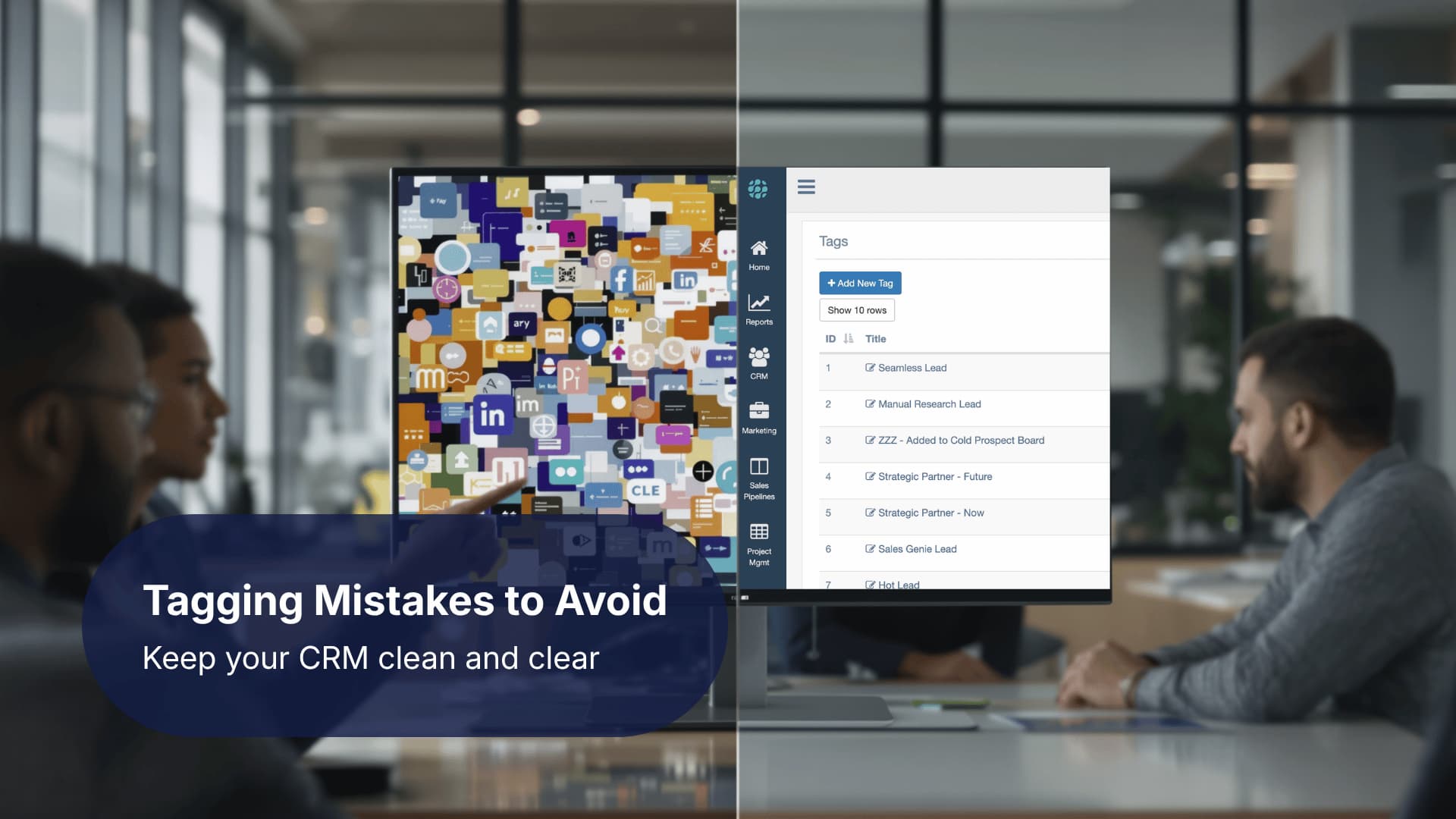
Common Tagging Mistakes to Avoid
Even well-intentioned tagging systems can break down when habits or processes are inconsistent. Understanding the most common issues helps you prevent clutter and maintain a CRM that stays accurate and easy to navigate. Many of these mistakes come from quick, reactive decisions made during busy periods, so having clear guidelines helps your team stay aligned.
Mistakes that commonly disrupt tagging systems include:
- Creating too many tags
- Using inconsistent naming conventions
- Manually applying tags instead of automating them
- Keeping old tags long after they are relevant
Why these mistakes matter
Small issues compound quickly. One duplicate tag might seem harmless, but a dozen duplicate or unclear tags can make it harder to build workflows or filter contacts. Manual tagging also leads to inconsistent data because different team members may interpret the same situation differently. This can affect segmentation accuracy and automation triggers.
How to avoid these mistakes
To keep your tagging structure clean, start by defining clear rules around tag creation. Encourage your team to pause before creating a new tag and check whether a similar tag already exists. This reduces redundancy and promotes consistency. You can also centralize tag creation by limiting tagging permissions to specific roles.
Automating tag application wherever possible protects your system from human error. When actions such as form submissions or stage changes automatically trigger tags, your CRM becomes more reliable. This aligns with best practices in workflow automation, which emphasize predictable, repeatable processes.
Regular reviews also help. Setting aside time each quarter to assess your tag list keeps your system aligned with your current goals. During these reviews, remove tags tied to one-off campaigns, merge similar tags, and confirm that automation rules still behave as intended.