
10 Different Ways CRM Can Help Increase Sales


That’s where a good CRM changes everything. It takes the messy parts of sales, like remembering who to call, tracking what was said, or figuring out which leads are actually worth your time, and turns them into a clear, structured system you can rely on. Instead of chasing data, your team can focus on the conversations that actually drive results.
This guide breaks down ten practical ways a CRM like Pulse helps you do just that. We’ll talk about increasing sales, building stronger relationships, and creating consistency in how your team works, all without adding unnecessary complexity. It’s not about doing more; it’s about doing what matters, better.

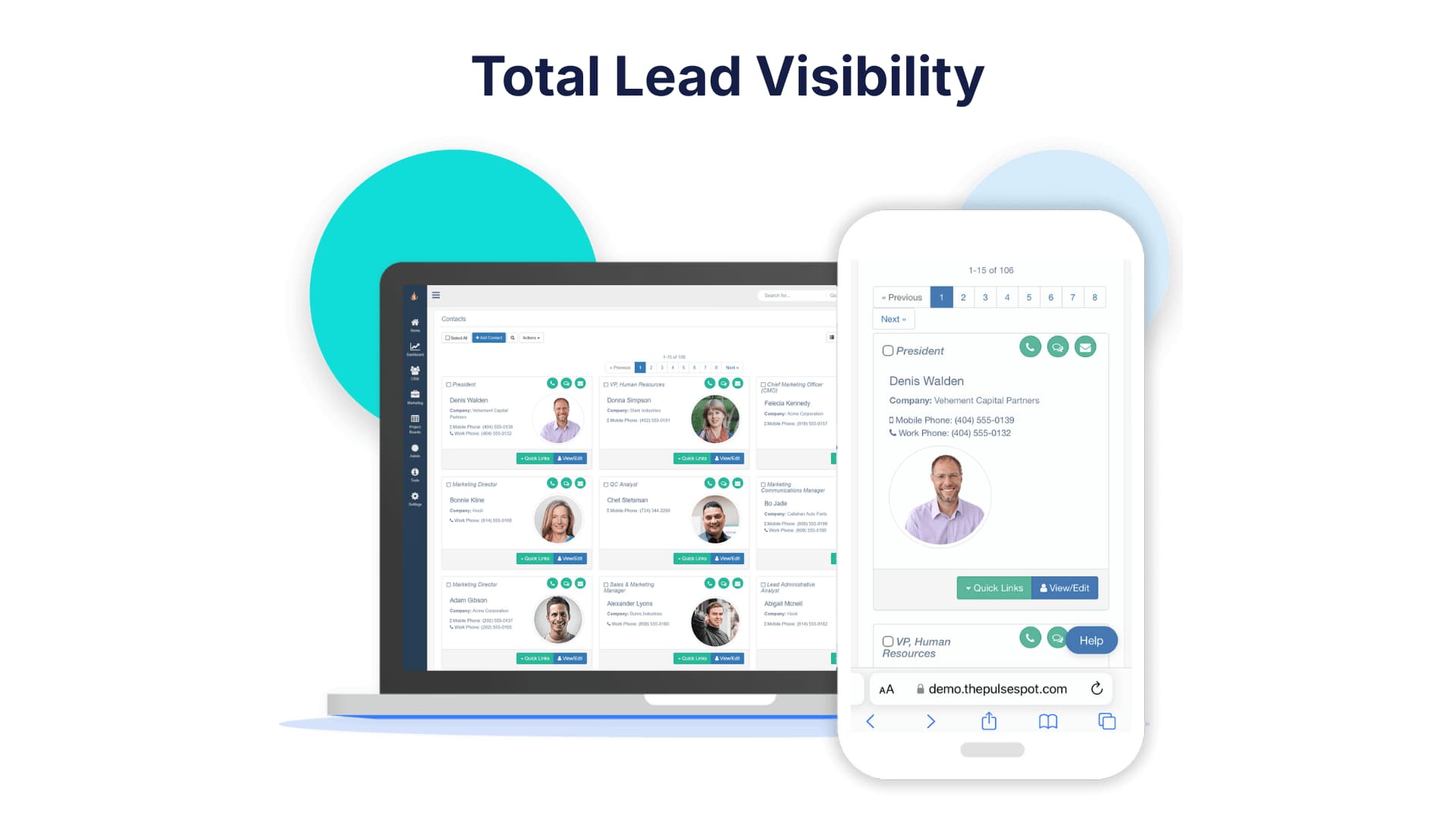
1. Manage Leads with Complete Visibility
Let’s be honest. Keeping track of every lead can feel like trying to juggle water. It slips through the cracks, and suddenly, you’re following up weeks later when the moment’s already passed. That’s why visibility matters so much. According to McKinsey, sales teams using integrated CRM systems are up to 20% more productive because they spend less time hunting for information and more time actually talking to people.
A CRM gives you that full picture. You can see every contact, every conversation, and where each deal stands. No more guessing who last spoke to a lead or whether they’ve already been pitched. You and your team stay on the same page, which means faster responses and fewer missed chances.
Why visibility really changes the game:
- You spot patterns sooner. You’ll notice where deals stall or which campaigns actually bring in quality leads.
- You can coach in real time. When everyone’s using the same data, it’s easier to help reps improve without micromanaging.
- You stop losing leads. Every inquiry is tracked and assigned, so nothing slips through the cracks.
So let’s break this down into something you can put into action.
Here’s how to set up true lead visibility:
- Centralize all your inbound channels. Make sure leads from your site, forms, and ads flow into one place automatically.
- Assign ownership right away. Leads should never sit idle. Routing them instantly builds accountability.
- Track every touchpoint. Calls, emails, notes, and everything should live in the same system so you’re not chasing details later.
- Score and prioritize. Give your team a way to see who’s worth calling first. Engagement levels tell you a lot.
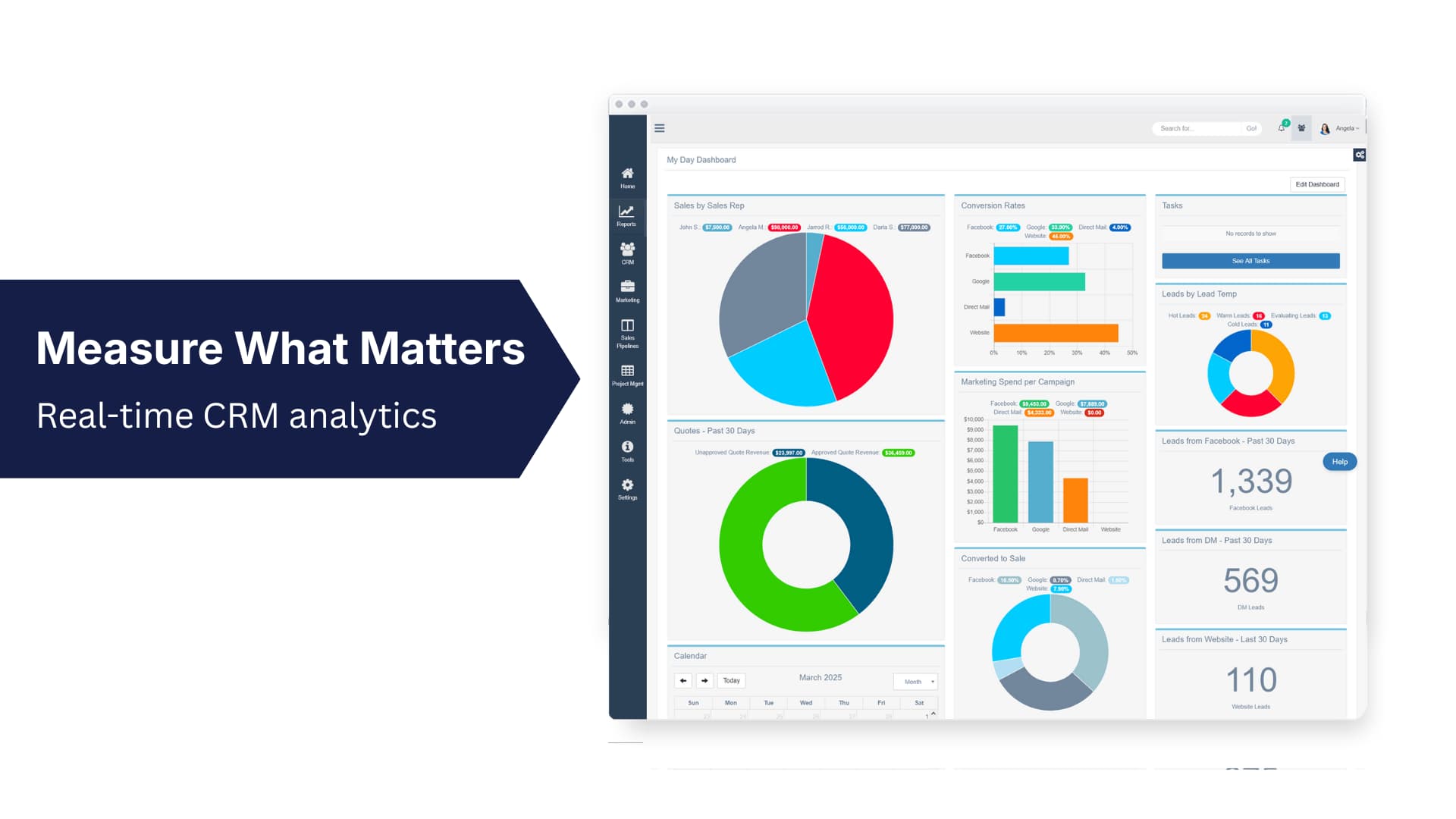
- Use dashboards to monitor progress. A quick look should show you where deals are moving and where they’re stuck.
Visibility isn’t just about dashboards or reports. It’s about building confidence in your process. When you can see exactly what’s working (and what isn’t), you stop relying on guesswork. If you notice that 40% of your cold leads come from one ad campaign, for example, you can fix that fast instead of wasting another quarter repeating it.
Quick checklist for better visibility:
- Review your pipeline daily. Even five minutes can save hours later.
- Don’t overcomplicate your fields; track what really helps you close.
- Use automation to flag inactive leads so nothing goes cold unnoticed.
You’ve probably seen what happens when leads aren’t visible. Stalled follow-ups, missed assignments, and leads forgotten. With complete visibility, that stops. Everyone’s working from the same playbook, which means better collaboration, quicker decisions, and cleaner results.
If you’re looking to organize your process and cut the noise, a CRM sales pipeline can help.
2. Increase Engagement with Personalized Communication
You’ve probably received a bland email that sounds like it was sent to thousands of others. Personalization changes that dynamic. You don't have to use fancy tools or buzzwords. Just simply show that you actually listened.
So let’s talk about what that looks like in real life. When you tailor your communication, you make every touchpoint count. You’re not just sending another message; you’re continuing a conversation. That’s what builds trust, credibility, and momentum.
To personalize effectively, you can:
- Segment thoughtfully. Group people by role, industry, or level of engagement. A small business owner shouldn’t get the same message as a corporate buyer.
- Automate with intention. Use behavior-based triggers, like when someone checks your pricing page twice or downloads a guide. Let that action guide your timing.
- Write like a human. Skip jargon. Use plain, direct language that connects.
- Make it relevant. Tie content to their challenges and goals, not just your features.
Here’s a practical way to stay consistent:
- Review buyer interactions weekly. Ask: what’s resonating, what’s not?
- Use CRM tags to keep marketing and sales on the same page.
- Test and adjust. Track open rates, responses, and engagement times to learn when your audience is most active.
- Don’t be afraid to refine your tone. What works for one audience might fall flat for another.
Harvard Business Review reports that personalization can lift sales by 10% and shorten deal cycles. Why? Because people buy from businesses that make them feel understood.
You don’t need to reinvent your entire strategy. Start small. Personalize one campaign, one sequence, one message at a time. Watch how people respond, then build from there.
3. Track the Effectiveness of Marketing and Sales Strategies
Let’s face it, you can’t fix what you can’t see. Tracking your marketing and sales efforts isn’t about vanity metrics; it’s about understanding which actions move the needle and which ones just create noise. We’ve all seen teams celebrate lead numbers that look great on paper but don’t convert into revenue. That’s where solid tracking makes the difference.
Why tracking matters:
- Data-driven teams are 5–6% more profitable, according to HBR.
- Without shared data, marketing and sales end up running in different directions.
- Tracking gives you a real picture of what’s working, not just what feels like it’s working.
When marketing and sales share the same performance data, collaboration improves instantly. Instead of debating lead quality, both sides can look at the same numbers and ask, “What’s actually converting?” It turns finger-pointing into problem-solving.
What to track:
- Cost per qualified lead (CPL) - Are your marketing dollars driving real opportunities?
- Conversion rate by campaign - Which messages or channels perform best?
- Time-to-close metrics - How long does it take from first contact to signed deal?
- ROI by channel - Where should you spend more and where should you pull back?
When you start tracking these areas, patterns appear fast. Maybe your social ads bring leads but not revenue, or maybe a niche webinar quietly delivers your highest-value clients. Once you can see this clearly, it becomes easier to double down on what’s actually paying off.
Pro tip: Schedule a short “data review huddle” each month. Ask three questions: What’s working? What’s slowing us down? What’s next? You’ll be surprised how quickly those conversations spark smarter strategy.
4. Strengthen Relationships with Existing Customers
You’ve probably felt that truth firsthand, that it’s always easier to keep an existing customer happy than to find a new one from scratch. Still, keeping that relationship strong takes more than the occasional follow-up. It’s about consistency, timing, and understanding what matters most to your customers over time.
How to nurture customer relationships:
- Stay consistent. Keep communication flowing between teams so customers never feel forgotten or bounced around.
- Segment smartly. Group customers by usage, satisfaction, or engagement so your outreach feels relevant rather than random.
- Make it personal. Don’t just send the same renewal reminder to everyone. Tailor your message to fit where they are in their journey.
- Add value every time. Each touchpoint should help them solve a problem, not just sell another feature.
Building trust is about showing up before you’re needed. When customers see you checking in, sharing tips, or sending something genuinely useful, they begin to rely on you. That’s how loyalty grows. And when loyalty grows, revenue follows naturally.
Early-warning signs to monitor:
- Fewer logins or responses than usual.
- Delayed renewals or skipped invoices.
- Declining engagement in feedback forms or support interactions.
Spotting these signals early gives you time to reach out before the relationship fades. Sometimes, a quick check-in or reminder can turn things around.
Customer retention isn’t a one-time task, it’s an ongoing habit. When we keep listening, learning, and showing up, customers notice. Over time, that consistency becomes your strongest competitive advantage.

5. Identify Your Warmest Leads Instantly
You know the feeling, you follow up, they go silent, and you wonder if you could have spent that time better. Lead scoring helps with that by taking the guesswork out of it. It ranks prospects based on their actions, interest level, and timing, so you can focus on those who are genuinely interested.
How to identify warm leads:
- Look for engagement clues - When someone visits your site multiple times, downloads content, or opens emails consistently, that’s a sign they’re curious and exploring.
- Prioritize patterns, not just clicks - A single open or visit doesn’t mean much. But when a lead interacts with multiple assets, like watching a webinar and reading a pricing guide, it’s worth paying attention.
- Balance automation with intuition - Software can score activity, but you and your team still need to interpret what that behavior means in context.
Imagine two leads. One visits your website once. The other attends a webinar, downloads a case study, and clicks through to your pricing page. Which one’s more ready for a conversation? Exactly. Lead scoring makes sure that the second lead rises to the top, automatically.
Lead scoring tips:
- Customize your scoring rules. Don’t rely on a one-size-fits-all system. Different campaigns attract different kinds of prospects.
- Adjust thresholds regularly. Revisit your scoring every quarter based on conversion data. What qualified as “warm” six months ago might look different now.
- Review the exceptions. Sometimes, a lead with a low score converts quickly. Use those moments to fine-tune your scoring logic.
- Involve both marketing and sales. When both teams define what makes a good lead, you eliminate confusion and improve handoffs.

6. Analyze Customer Data to Uncover Hidden Opportunities
You and I both know how easy it is to collect data, and how hard it can be to actually use it. Most businesses sit on piles of customer information but never dig deep enough to uncover patterns or insights. That’s the real opportunity. When you start connecting the dots between customer behavior, engagement trends, and purchase history, you’ll see things that were hidden in plain sight.
Actionable analysis framework:
- Identify your most profitable segments - Which customers bring consistent revenue and refer others? Look for shared traits, industry, company size, and buying cycle.
- Review lifetime value and engagement trends - Who sticks around the longest, and why? Understanding these factors helps you focus on high-value relationships.
- Monitor churn signals like drop-off frequency - If engagement dips, like fewer logins, missed renewals, or declining open rates, that’s your cue to step in.
- Cross-check data from different sources. Blend CRM insights with website analytics, ad data, and customer feedback to get the full picture.
Data is only powerful when it turns into action. Spotting that customers in one region are slower to renew or that repeat buyers engage more with educational content? That’s gold. It means you can create strategies that speak directly to their needs, rather than guessing.
Try ending each week with a 10-minute review. Ask yourself three questions:
- What surprised me in the data?
- What’s declining that used to work?
- What do I want to test next? That’s how insights turn into progress.
The more you review and refine, the more second nature it becomes. You’ll start to see not just what happened, but what’s coming next.
7. Monitor Team Performance with Reports and Dashboards
Let’s be real, managing a sales team without visibility feels like flying blind. You might have a good sense of who’s performing, but without clear numbers, it’s tough to pinpoint what’s driving results. That’s where dashboards come in. They give you a real-time snapshot of progress, turning performance data into something you can use to guide your team.
Why it matters:
- Transparent dashboards improve forecasting accuracy by 20% (Gartner).
- Visibility builds trust, keeps everyone accountable, and helps you coach smarter.
When your team knows what’s being measured, it naturally creates alignment. Everyone’s working toward the same goals instead of guessing what matters most. You don’t need fancy metrics, just consistent ones that show effort, movement, and outcomes.
Key dashboard metrics:
- Activity: calls made, meetings booked, outreach attempts.
- Pipeline: deals in progress, proposal volume, follow-up rates.
- Results: revenue closed, average deal size, and conversion rate.
Numbers don’t lie, but they also need context. You can have high activity and still miss quota if the focus is on the wrong deals. That’s why dashboards should track both quantity and quality. It’s not about micromanaging; it’s about spotting trends early so you can adjust before a small issue becomes a big one.
Performance alignment checklist:
- Use daily summaries for quick adjustments. Short daily recaps keep everyone focused and prevent bottlenecks.
- Schedule monthly reviews for deeper insights. Talk through what worked, what stalled, and what needs tweaking.
- Compare top performers to identify best practices. What’s repeatable? What’s unique? Share those habits across the team.
- Track leading and lagging indicators. Don’t just look at closed deals—measure activity that predicts success.
So if you’ve been managing with spreadsheets or end-of-month recaps, it might be time to shift gears. Real-time reporting gives you insight, rhythm, and balance. Those are the three things every growing team needs to perform at its best.

8. Automate Repetitive Sales Tasks
Nearly a third of what clogs your schedule could be handled by smart systems instead of you chasing repetitive tasks. When we automate the right things, it’s not about replacing people; it’s about freeing up time for the work that actually drives revenue and builds relationships.
You’ve probably felt it, the mental drain of entering the same data, sending the same reminders, or manually updating reports. Those are hours you don’t get back. Automation gives you that time again, which means more focus, better follow-ups, and fewer mistakes.
Top tasks to automate:
- Lead assignment and tagging. Automatically route new leads to the right team member based on region, source, or deal size.
- Follow-up reminders and meeting scheduling. Let the system send prompts or even calendar invites so nothing slips through the cracks.
- Data entry and reporting updates. Use a CRM like Pulse that has all of the tools you need, so everything stays in sync without copying and pasting the same information.
- Task notifications and pipeline updates. Keep everyone in sync with instant alerts when a deal moves or an opportunity is updated.
Automation helps you focus on the parts of your job that require creativity, conversation, and judgment. You’ll still be hands-on where it counts, but you’ll skip the noise that slows you down.
9. Automate Lead Nurturing Campaigns to Increase Conversions
If you’ve ever had leads go quiet after an initial demo or download, you’re not alone. It’s not because they’re uninterested; often, they’re just not ready yet. Automated nurturing bridges that gap. It helps you stay visible, relevant, and helpful until the timing is right.
How to approach lead nurturing in a real, human way:
- Think in stages, not scripts. You’re guiding someone through a journey, from awareness to decision, not blasting them with content. Tailor each stage to what your leads actually need to know.
- Use behavior as your cue. If a lead downloads a pricing guide, send follow-up content that compares plans or ROI, not a generic newsletter.
- Mix up your channels. Don’t rely only on email. Social touches, retargeting ads, and even quick messages can help move things along.
Effective nurturing is about balance. Too frequent, and you risk annoying people. Too quiet, and they forget who you are. The sweet spot is steady, thoughtful contact that feels natural rather than automated.
Steps to build effective nurture campaigns:
- Define content for awareness, consideration, and decision stages. Each stage should help answer a question or remove hesitation.
- Trigger actions based on behavior (downloads, page views, replies). When someone shows interest, respond fast while it’s fresh.
- Keep cadence steady for 2–3 touches per week early on. Then slow it down as leads move deeper in the funnel.
- Measure replies, meetings, and conversions, and not just opens or clicks. Engagement means conversation, not vanity metrics.
- Review performance monthly. Look at which content actually converts and cut what doesn’t.
Nurturing isn’t just about staying top-of-mind; it’s about building trust over time. When you consistently show up with relevant insights, prospects start seeing you as a partner, not a pitch. And that’s when conversions start to happen naturally.
10. Send Targeted Emails Based on Prospect Interests
You know what it’s like to get an email that feels generic. It goes straight to the archive. The ones that catch your attention? They speak directly to what you care about right now.
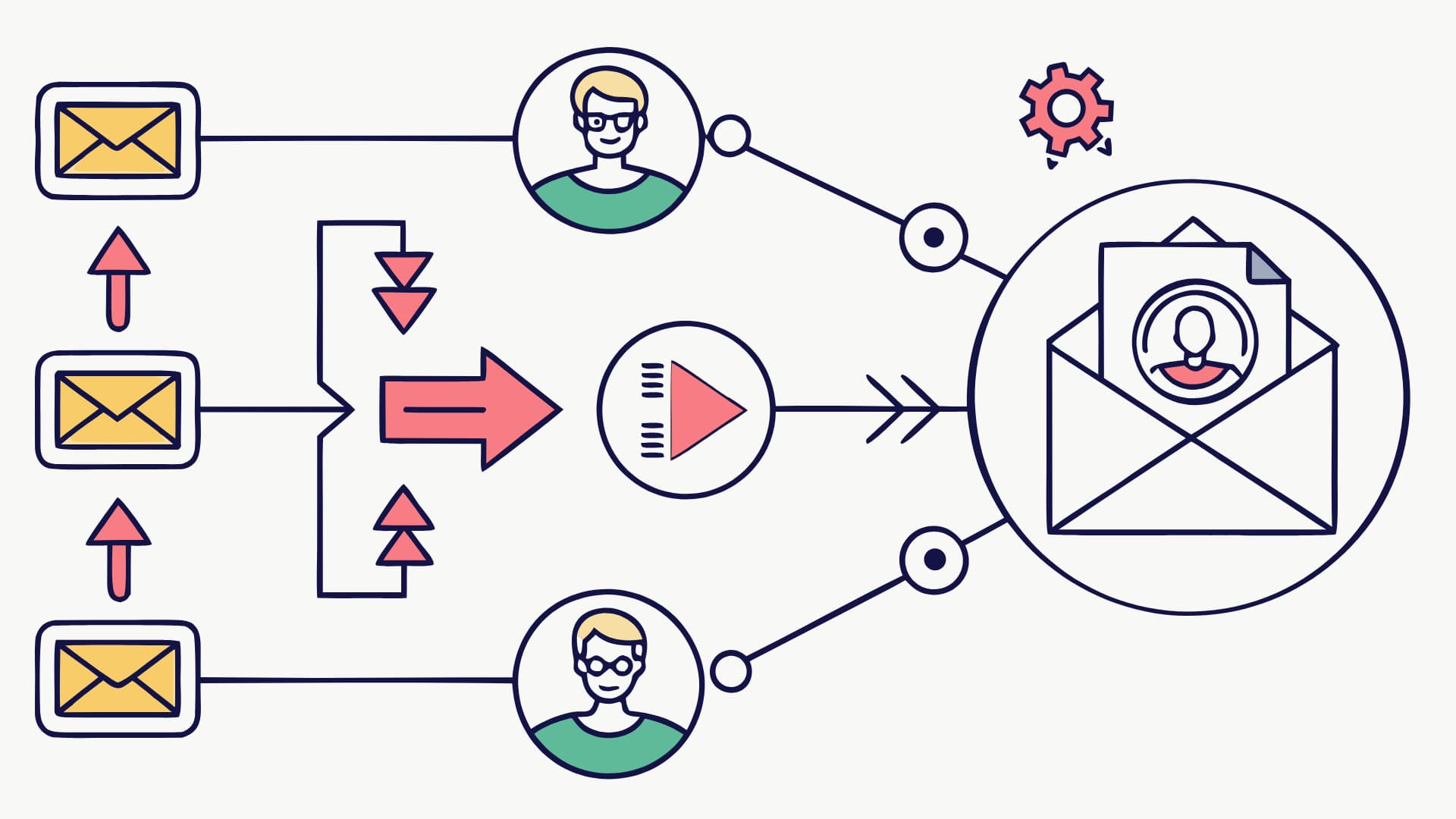
Sending targeted emails is about reaching the right people at the right moment with something that matters to them. When your emails feel human and timely, people notice, and they respond.
How to send smarter emails:
- Segment by role, industry, or buying stage. The questions a marketing manager has are totally different from what a CEO cares about. Tailor your message accordingly.
- Track engagement signals for follow-up triggers. If someone clicks a pricing link or downloads a guide, follow up with content that fits that interest, not a generic “just checking in.”
- Optimize timing and frequency to avoid fatigue. You don’t want to disappear, but you also don’t want to overwhelm people. Test your cadence until you find the rhythm that works.
- Use real names and context. Address the recipient naturally. Reference what they last interacted with, if possible, as it shows you’re paying attention.
Pro tip: Try A/B testing your subject lines and intros. You’d be surprised how small changes, like swapping “Learn more” for “See what’s next,” can boost engagement.
At the end of the day, email is still about connection. The technology just helps us reach more people more efficiently. If you focus on relevance, timing, and tone, your emails perform better and start more meaningful conversations.
Bonus: Use Data-Driven Insights to Wow Prospects
Forrester research: Businesses using data in sales pitches close deals 23% faster. Sharing data visuals in conversations builds trust and clarity.
Ways to use data effectively:
- Highlight time saved, ROI potential, or cost avoidance.
- Visualize insights during calls or proposals.
- Use charts or short summaries to make metrics memorable.


