
How a CRM Improves Customer Experience in 2026


Customer experience has become one of the biggest ways businesses stand out today. People want quick answers, thoughtful communication, and the feeling that you genuinely get where they’re coming from. When that doesn’t happen, even loyal customers can drift away. When it does, they stick around because they feel like they have an authentic relationship with you and your team.
A customer relationship management system (CRM) helps you deliver that kind of experience more consistently. Not by adding more work to your plate, but by giving your communication, workflows, and customer information a clear structure you can rely on.


How to Apply CX in Real Scenarios
In day-to-day operations, CX shows up in moments you’ve probably seen a hundred times. A customer replies to an email and references something they mentioned earlier. If you remember it, the exchange feels smooth. If you don’t, the interaction becomes awkward. Or maybe you’ve had a situation where a teammate stepped in halfway through a conversation. When they have the customer’s history in front of them, the handoff feels effortless.
These everyday moments get easier when your information isn’t scattered across inboxes or split between tools. A CRM pulls everything into one place so you can spend more time having real conversations instead of hunting down context. For a deeper look at how customer journeys unfold in structured systems, review our customer lifecycle management blog post.
According to Harvard Business Review, customer experience continues to evolve as expectations around communication and consistency rise across industries. And that’s why these small moments matter. They stack up, day after day, shaping how people feel about working with you. It’s the simple things that make the relationship feel solid, and that’s where a CRM quietly does its best work.

Personalization That Feels Natural, Not Forced
You can usually tell when a message feels generic. It doesn't resonate with the client. When personalization feels genuine in what someone actually cares about, the whole interaction shifts. It feels smoother, warmer, and more natural.
A CRM helps make that happen by organizing the details you’d never be able to track manually, like:
- Past interactions
- Preferences
- Purchase or engagement history
- Downloaded resources
- Communication patterns
These details matter because they give you something real to work with. Instead of guessing what someone needs or sending the same message to everyone, you’re responding to what they’ve already shown you. If someone keeps engaging with a specific topic, mentioning it in your next message isn’t a tactic. It’s simply being attentive.
Some examples of natural personalization:
- Following up on an event someone attended.
- Sharing resources based on topics a customer previously engaged with.
- Sending check-ins that reference specific goals or conversations.
You’ve probably seen this play out in your own work. Someone reaches out about a service, and you remember they downloaded a resource on that topic last month. Bringing that into the conversation makes the customer feel like you actually care about their experience. It shows you’re paying attention, not running on a script.
What personalization is not:
- Overusing someone’s first name.
- Sending generic content based on assumptions.
- Delivering the same message to everyone.
Here’s where this matters. Forced personalization tries to mimic familiarity without earning it. Natural personalization comes from recognizing patterns and using them thoughtfully. When you reference something meaningful, people feel understood rather than targeted.
According to Statista, a majority of consumers say they are more likely to engage with brands that tailor communication to their interests and past behavior, rather than generic messaging. This reinforces why relevance matters more than surface-level personalization tricks.
When you personalize based on what customers actually care about, the whole experience feels more human. And once you get used to working this way, it becomes second nature, just like any good conversation.

Using Automation to Stay Connected Without Feeling Robotic
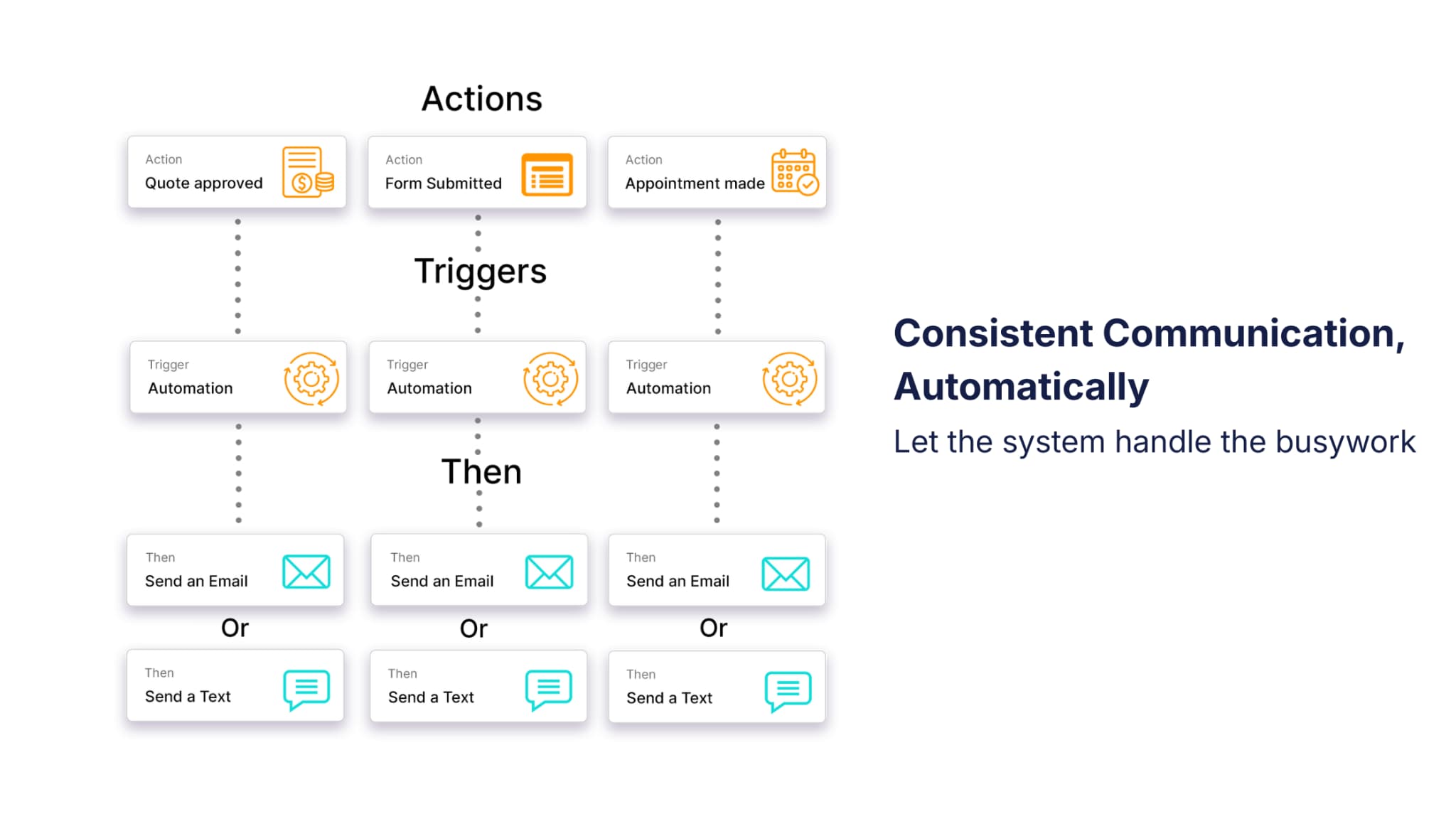
Let’s be honest. Automation can sound cold at first. But when it’s used the right way, it actually gives you more room to be human. It takes the repeatable tasks off your plate so you can focus on the moments that really need your attention.
Here’s the thing. Most of the stumbling blocks in customer communication show up when you’re juggling too much. A reminder slips through the cracks. A follow-up gets delayed. Not because you don’t care, but because you’re busy. Automation acts like a quiet support system that keeps everything moving.
A helpful way to think about automation is that it clears the noise. It handles the predictable parts of your process so you can stay fully present in conversations that matter.
Helpful Uses of Automation
- Sending confirmations and reminders.
- Sharing onboarding steps with new clients.
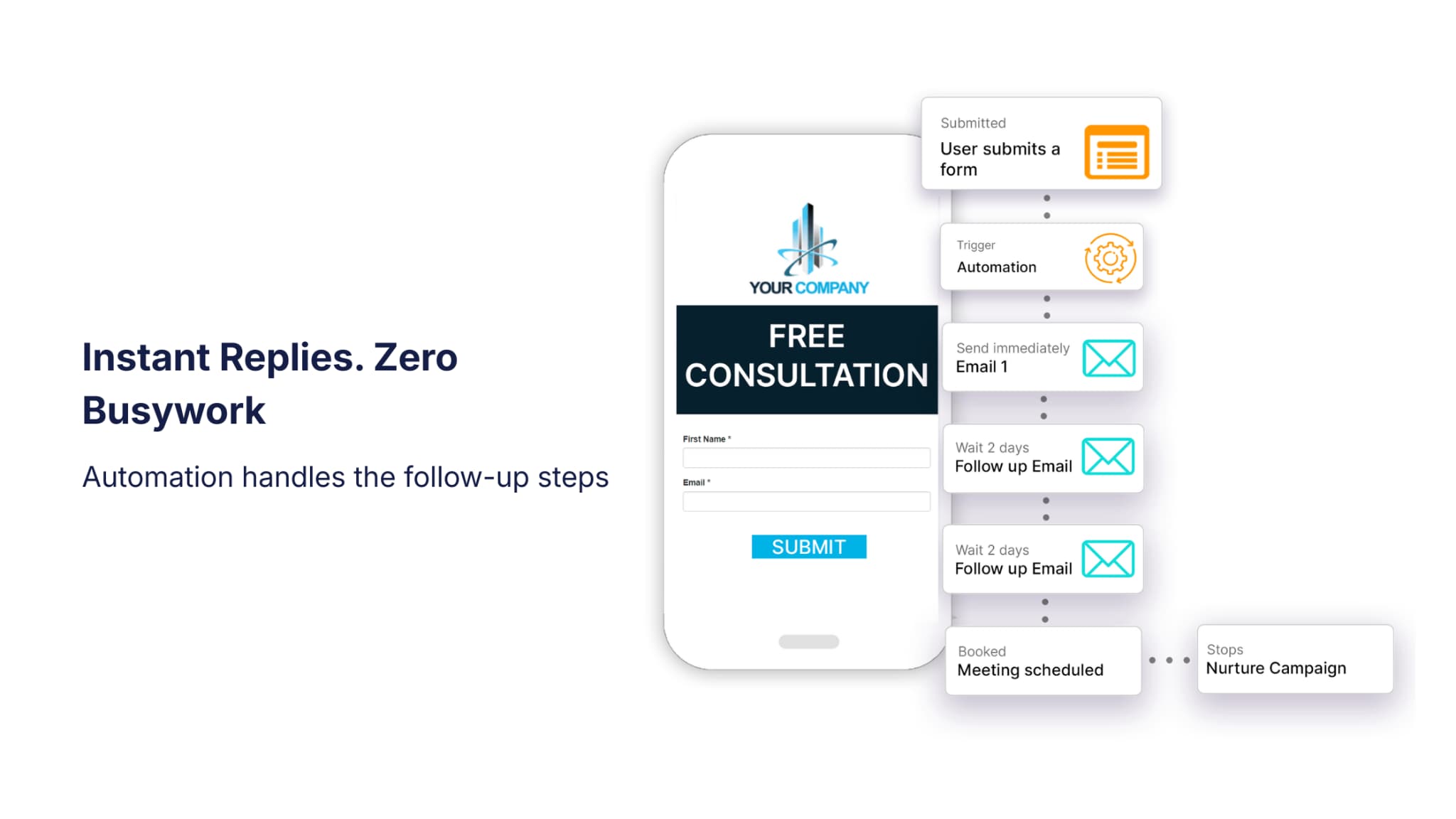
- Following up on downloads or inquiries.
- Triggering next steps when a customer reaches a milestone.
These automations work best when they match where the person is in your customer’s journey. A reminder the day before a meeting feels thoughtful. A follow-up five minutes after someone downloads something feels rushed. Timing and tone matter more than the tool itself.
How Automation Supports CX
- Consistency: Every customer gets the same dependable experience.
- Timeliness: Important moments happen when they should.
- Relevance: Messages adjust based on real behavior.
- Efficiency: You get hours back to focus on real conversations.
When follow-ups happen automatically, you’re not scrambling to remember who needs what. You can show up with a clear head and actually enjoy the interaction.
According to Pulse data, a coaching business saw attendance rise significantly after automating event reminders. The messages were short, friendly, and timed for when participants were most likely to see them. Automation takes some time to set up, but once it's in place, it can substantially improve your customers' experience.
Faster, More Accurate Response Times
Let’s talk about something every customer cares about. Getting a timely response. When someone reaches out, they want to feel acknowledged. Even a quick note saying you’ve seen the message can ease tension and give you time to follow up properly. You’ve probably felt this yourself. Silence creates worry. A simple reply builds trust.
A CRM improves responsiveness by:
- Centralizing emails, texts, and notes so nothing gets buried.
- Giving your team instant context so replies are accurate.
- Assigning tasks automatically when a new inquiry comes in.
- Sending after-hours confirmations so customers feel heard right away.
Slow responses usually happen because information is scattered, not because your team doesn’t care. When everything lives in different tools or long threads, it takes time to piece things together. And in that delay, customers start to feel uncertain.
With everything in one place, your team can respond quickly. You spend less time searching and more time supporting your clients and providing an excellent customer experience.
Signs Your Team Needs CRM Support for Response Times
- Customers receive different answers from different people.
- Team members hunt through multiple tools for context.
- Follow-up requires asking coworkers for updates.
- Leads lose interest before anyone has a chance to respond.
These signs usually point to missing structure, not missing effort. Once communication is organized, better response times come naturally because the right information is always within reach.
Fast, confident replies make customers feel supported, even when the issue takes time to resolve. And the more often you can deliver that experience, the more trust you build over time.
Creating Consistency at Every Touchpoint
Consistency is one of the biggest things customers notice. When every interaction feels genuine and aligned, people know what to expect when they reach out to your company. When something feels off, they notice that too.
So let’s break this down for you. Consistency is about making sure customers get the same level of care whether they’re speaking with you, a teammate, or someone stepping in for the first time. A CRM helps make that possible by keeping everyone on the same page.
How a CRM Ensures Consistency
1. Structured Workflows
Think of workflows as a shared roadmap. They guide customers through each stage without confusion. When tasks and follow-ups are clearly mapped out, you’re not improvising or trying to remember what happens next. Automated steps keep things moving so customers don’t have to reach out for updates.
2. Shared Visibility
This is where things often break down. When everyone sees the same information, customers stop repeating themselves, and your team stops guessing. Even if someone jumps into a conversation halfway through, they have the whole story right in front of them. It makes the entire process smoother instead of disjointed.
Business Example
A service-based team onboarding several clients at once relies on CRM-defined processes to make sure every customer gets:
- The same core instructions.
- The same timeline expectations.
- The same level of support.
This doesn’t take away the personal touch. If anything, it gives you the space to add it. When the foundation is solid and predictable, you can focus on being present with customers instead of managing chaos behind the scenes.
Building Trust Through Clear Communication
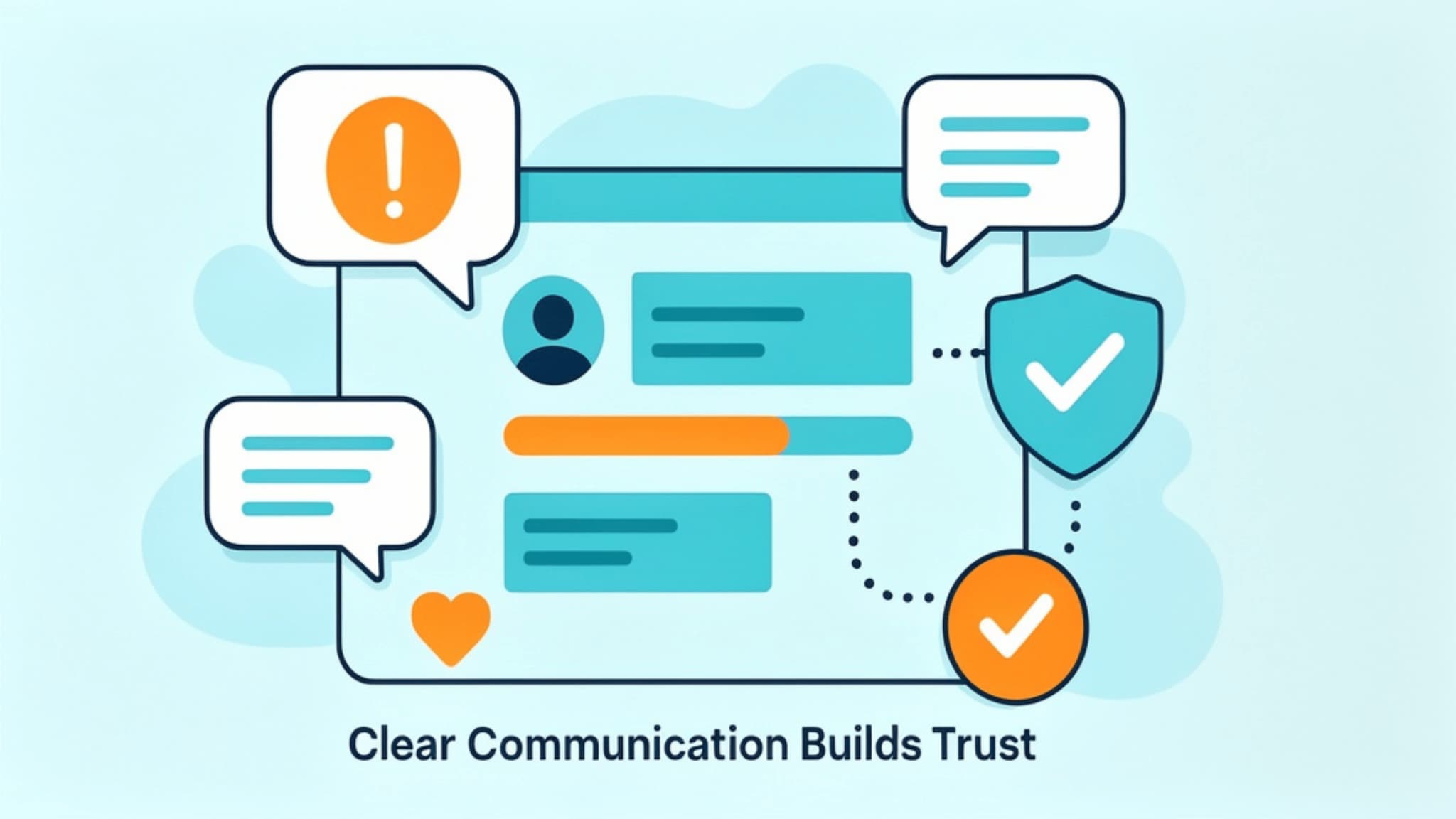
Trust doesn’t come from grand gestures. It builds slowly, through small moments where customers feel informed and taken care of. When your communication is clear and steady, people notice. They feel like they’re in good hands.
Here’s where this really matters. When expectations are set early, and updates come before someone even needs to ask, the whole relationship feels easier. You’ve probably experienced this yourself. When a business keeps you in the loop, you relax. When they leave you guessing, frustration creeps in.
CRM-Driven Trust Builders
- Timely responses
- Remembering past details
- Proactive updates
- Organized tracking of next steps
- Smooth handoffs between team members
Most communication breakdowns don’t happen because teams don’t care. They happen because the right information isn’t easy to find. When context is scattered across inboxes, chat threads, or separate tools, even well-intentioned teams struggle to stay aligned.
A CRM helps remove that friction. Everyone can see the same details, which means you can respond with confidence instead of piecing things together on the fly. Conversations feel more grounded because they’re built on what the customer already shared.
And here’s the big takeaway. When you consistently deliver clear communication, customers stop bracing for surprises. They trust you because every interaction reinforces that their experience matters. Over time, that kind of consistency becomes one of the strongest parts of your relationship with them.
Why Structure Beats Good Intentions
Many teams genuinely care about their customers, yet still struggle to deliver a consistently smooth experience. This usually happens not because the effort is missing, but because the systems behind the scenes are unclear. Without structure, every interaction depends on individual memory, personal habits, or whatever notes are easiest to find in the moment. Even skilled teams can unintentionally create gaps when there is no shared process to guide the work.
A CRM provides:
- Predictable workflows
- Reliable communication timelines
- Organized data
- Automated support for key touchpoints
When these elements are in place, customer interactions become more intentional and less reactive. Teams do not have to guess about next steps or sift through scattered information. The experience feels more consistent because the path forward is clearly defined for both the team and the customer. The result is a customer experience that feels seamless rather than improvised.

